Vehicles Manager
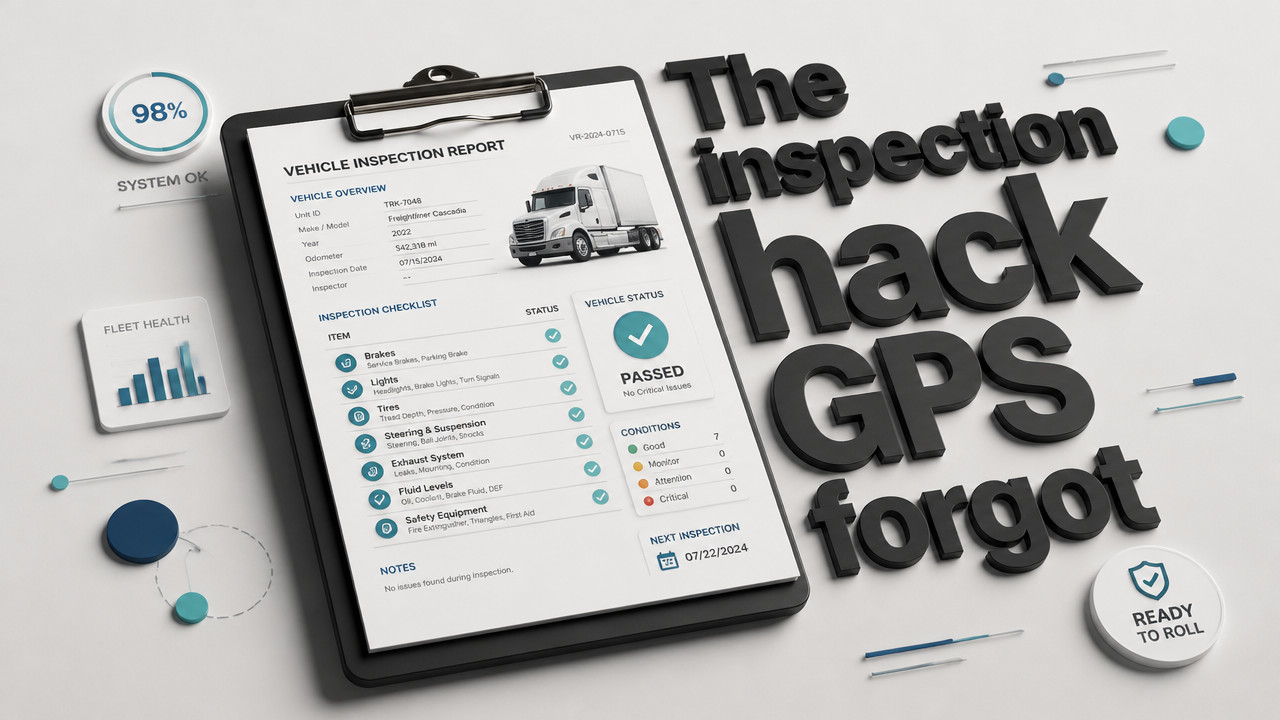
How Can a Fleet Manager Track Vehicle Inspection Status Without GPS
Fleet managers tracking inspection status without GPS rely on three proven methods: paper-based inspection logs with manual sign-offs, digital inspection software platforms that use shop and dispatch coordination, and live readiness boards that show each vehicle's inspection state in real time. GPS tells you where a vehicle is, not whether it passed inspection or can legally leave the yard. For small fleets running 10–60 vehicles, the gap between location tracking and operational readiness causes the most morning chaos dispatching a van already marked for inspection because the spreadsheet and WhatsApp thread contradict each other.
Quick Answer: Three Non-GPS Methods Fleet Managers Use to Track Inspections
Fleet managers tracking vehicle inspection status without GPS need practical systems that show whether a unit passed inspection, sits in the shop, or faces a service hold. Since GPS only answers "where," not "ready," yards must track inspection results through other means. According to

- Paper-based inspection logs Drivers sign off on physical checklists, and the yard manager stores sheets in a binder. Simple to start, but creates lag between inspection completion and dispatch visibility.
- Digital inspection software platforms Mobile apps let drivers complete checklists, and the results sync to a central dashboard. Dispatch sees pass/fail status immediately, though setup can feel like a database project.
- Live readiness boards A single row per vehicle shows ready, shop, or next service status. Replaces the spreadsheet and WhatsApp fight with one source of truth, accessible from any device. See how a
live readiness board[/LINK] works for small fleets.
Each method has tradeoffs in speed, accuracy, and cost. Paper costs nothing upfront but fails at scale. Digital platforms sync fast but often bundle features small fleets don't need. Readiness boards cut the noise showing inspection status without GPS, contracts, or hardware installation.
Why GPS Does Not Solve the Inspection Status Problem
GPS tracking tells you where a vehicle is right now. It does not tell you whether that van passed its morning inspection, whether the shop cleared it for dispatch, or whether the next service interval blocks it from leaving. For
Picture this scenario: The spreadsheet says Unit 12 is "ready." The shop foreman marked it "in shop" on the whiteboard. Dispatch sends it out anyway, because the last saved file and the morning WhatsApp thread don't match. The driver gets flagged at a weigh station for a brake issue the shop hadn't finished. That's not a location problem. That's an inspection status problem.
Rental yards face the same mismatch. The booking calendar shows Unit 8 reserved for a customer pickup at noon. The key hook is empty because the unit sits in the shop with a transmission hold. Nobody updated the calendar. By lunch, you're handing a customer keys to a car that can't leave the lot.
GPS cannot fix this. A telematics device reports that Unit 8 is parked in row B. It doesn't report that the transmission filter arrived yesterday and mechanic still needs two hours to install it. Inspection tracking without telematics requires a system that captures status at the source whether that's the driver with the clipboard, the shop foreman marking a repair, or the yard manager updating the morning board.
Paper Logs and Manual Checklists: When They Work and When They Fail
Paper inspection logs still work for some operations. A driver walks around the vehicle, checks boxes on a pre-trip form, signs the bottom, and hands the sheet to dispatch. The yard manager files it in a cabinet. If something goes wrong, you pull the file. For a five-vehicle fleet where the owner stands at the gate every morning, paper feels sufficient.
According to
The bigger issue is real-time visibility. When only the person holding the clipboard knows which units passed inspection, dispatch operates blind. If that person calls in sick, the morning board stops. The spreadsheet doesn't sync with the paper forms sitting in a truck cab 20 miles away.
| Aspect | Paper Logs | Digital Methods |
|---|---|---|
| Setup cost | Free (clipboard, forms) | Subscription or software fee |
| Real-time sync | No lag between inspection and filing | Yes status updates instantly |
| Single source of truth | No sheets can contradict each other | Yes one status per vehicle |
| Audit trail | Filing cabinet, prone to loss | Cloud-stored, searchable |
| Scalability | Fails past 15–20 vehicles | Handles 10–60+ vehicles |
| Morning visibility | Depends on who holds the clipboard | Accessible from any device |
Paper makes sense for very small operations where one person controls the entire morning workflow. Once responsibility splits between drivers, shop, and dispatch, the manual system creates more fights than it solves.
Digital Inspection Software Platforms That Skip GPS Hardware
Modern digital inspection platforms run on phones and tablets no telematics box required. Drivers open an app, complete a digital checklist, and submit. The results appear on a dashboard dispatch can see from the yard office. The shop marks a unit "in service" and dispatch knows within seconds.
According to
For
Digital platforms do have downsides. Some bundle features you might not need, like routing optimization or fuel tracking. Others require multi-year contracts similar to GPS providers. The setup can feel like building a database when you just want to know which vans can leave. Choose platforms that focus on inspection status, not fleet management suites trying to be everything.
How a Live Readiness Board Replaces the Spreadsheet and WhatsApp Chaos
A live readiness board does one thing the spreadsheet and WhatsApp thread cannot: it shows a single status for each vehicle that everyone sees at the same time. One row per vehicle. Three states: ready, shop, next service. No duplicate entries, no version control fights, no "I thought you updated the sheet."
- Single status per vehicle The board holds one truth. If Unit 7 shows "shop," dispatch cannot send it. No more contradictory spreadsheet entries.
- Real-time sync Status updates instantly across devices. The yard manager, shop foreman, and owner all see the same board at 06:00.
- No GPS hardware The board runs in the cloud. No box to install in the vehicle, no telematics contract, no fuel tracking.
- $2.99 per vehicle Flat pricing per unit per month. No per-branch fees, no bundled services, no multi-year lock-in.
Small fleets running 10–60 vehicles don't need to know where every unit is every minute. They need to know if it can leave. The readiness board answers that question without the GPS overhead.
Step-by-Step: Setting Up Inspection Tracking Without GPS in a 10–60 Vehicle Fleet
Moving from spreadsheet chaos to a working system takes less than a day. The key is starting with a clear structure and assigning ownership for each status change.
- Choose your tracking method Decide between paper logs (only for very small crews), digital inspection apps, or a readiness board. Consider how many people touch the status and whether you need real-time sync.
- Create your vehicle list List every unit by number, plate, or name. Each vehicle gets one row on the board or one entry in the system.
- Define your status states Stick to three: ready (cleared for dispatch), shop (cannot leave until repaired), next service (scheduled maintenance soon). Add states only if absolutely necessary.
- Assign responsibility for each status The driver completes the inspection. The shop updates repair status. The yard manager marks final ready. No overlap.
- Set the morning workflow At 06:00, dispatch checks the board before sending any unit. If the board shows shop, the van stays. No exceptions, no "I'll just check with the foreman."
- Train the team Walk through the process once. Show each person how to update status. Emphasize that the board is the only source of truth.
- Review and adjust After one week, check for gaps. Did anyone bypass the board? Were status updates late? Fix the workflow, not the people.
The setup should feel like adjusting the morning routine, not implementing enterprise software. If it takes more than 15 minutes to explain, simplify.
Common Mistakes That Turn Non-GPS Inspection Tracking Into a Morning Fight
Frequently Asked Questions
What is how can a fleet manager track vehicle inspection status without GPS?
how can a fleet manager track vehicle inspection status without GPS is an important topic worth understanding in depth. Getting familiar with the fundamentals helps you achieve better results and avoid common pitfalls.
Even with a system in place, habits kill it. The most common mistake: duplicate status entries. Two people update the same van at the same time one marks it ready, one marks it shop. The spreadsheet can't handle that. Neither can WhatsApp when messages arrive out of order.
The second mistake is no single source of truth. The driver keeps a clipboard in the cab. The shop uses a whiteboard. Dispatch works off a saved spreadsheet from yesterday. None of them match by 07:00. When the sheet owner is out, nobody knows what can leave.
Third: offline tools that don't sync. Paper never syncs. Some apps require internet connection to update, which fails in metal yards or remote sites. The status update sits on a phone until the driver gets signal. Meanwhile, dispatch already sent the van.
The fix is simple math. One vehicle, one status, one board. Everyone updates the same system. Everyone sees the same result at the same time. The 06:00 dispatch error vanishes when the board holds the answer before anyone asks.
Key Takeaways
- GPS tracks location, not inspection status Telematics tells you where the vehicle is, not whether it passed inspection or cleared the shop. See
pricing[/LINK] for inspection-focused alternatives. - Readiness boards replace spreadsheet conflicts A single status per vehicle stops the "ready vs. shop" morning fight.
- Digital platforms skip hardware installation Mobile inspection apps sync status without telematics boxes or GPS contracts.
- $2.99 per vehicle solves the gap Live readiness boards cost less than GPS and focus on what small fleets actually need.
Frequently Asked Questions
- Can I track vehicle inspections without telematics or GPS?
Yes. Paper logs, digital inspection apps, and readiness boards all track inspection status without GPS hardware. The right method depends on fleet size and how many people need real-time visibility. For
moving companies[/LINK] and contractor fleets, a readiness board often fits better than telematics. - Do I need to install hardware in every vehicle?
No. Inspection tracking without GPS runs on phones, tablets, or a cloud dashboard. No box in the cab, no wiring, no installation appointment.
- What replaces the Excel sheet for tracking inspection status?
A live readiness board. The board shows one row per vehicle with ready/shop/next service states. Unlike Excel, it syncs in real time and doesn't create version conflicts when two people update at once.
- How much does non-GPS inspection tracking cost?
$2.99 per vehicle per month. Flat rate, no GPS license, no multi-year contract. First month free to test the board with your fleet.
- What stops duplicate status entries that cause dispatch errors?
Single-source design. The board allows only one status per vehicle at a time. When the shop marks a van "in shop," dispatch sees that status no override, no conflicting entry, no morning argument.
Sat Oct 10 · Josh B