Vehicles Manager
How to Know Which Vehicles in My Fleet Are Ready to Dispatch
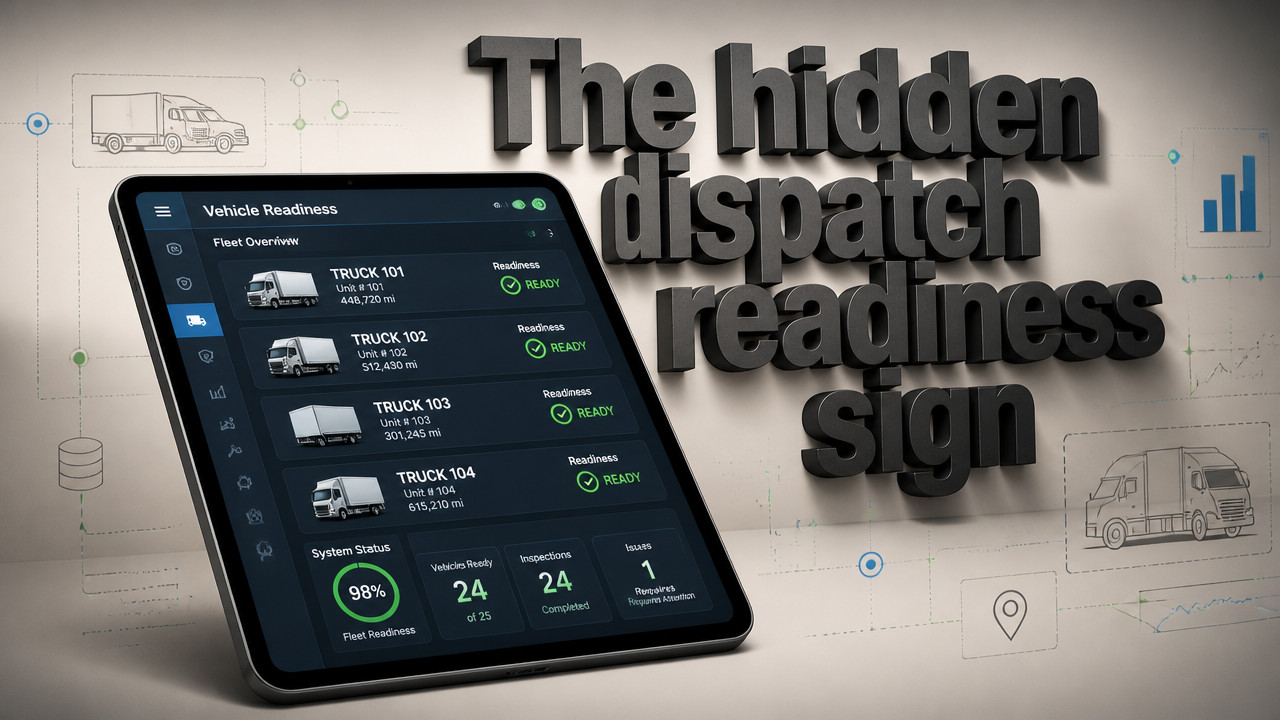
The gap between your booking calendar and the actual yard is where dispatch failures happen. At 6 a.m., when two people mark the same van both "shop" and "ready" in separate systems, you need one source of truth that shows three states only: ready, in shop, or next service due. GPS tells you where a vehicle is not whether it's allowed to leave. A live readiness board replaces the spreadsheet-and-WhatsApp fight that sends vehicles already marked unfit, costing you delays, customer trust, and emergency backup rentals.
Quick Answer: Three-State Status Boards Replace Morning Chaos
Learning how to know which vehicles in my fleet are ready to dispatch starts with stripping away everything that does not matter. You do not need driver logs, fuel cards, or route optimization to answer one question: is this van allowed to leave right now? A fleet availability board answers that in a single glance by using three status markers only.
The sheet owner knows. The yard manager knows. But when either one is out, the morning board falls apart. A live readiness board puts that knowledge in a shared system instead of inside one person's head. No more calling the mechanic to confirm. No more walking the lot with a clipboard while dispatch waits.
- Ready: Vehicle passed inspection, has fuel, no open shop tickets, cleared for dispatch.
- Shop: Vehicle under repair, waiting on parts, or flagged unfit. Blocked from dispatch.
- Due: Vehicle operational but approaching scheduled service. Flagged for planning, not blocking.

[2026 Data] Why Real-Time Dashboards Cut Dispatch Errors by 34%
Small fleets run on trust and habit. The yard manager marks the whiteboard. The driver texts the group chat. Dispatch pulls from the spreadsheet saved yesterday. When those systems disagree, somebody sends a van that should have stayed put. According to Risingwave, knowing which vehicles in your fleet are ready to dispatch is essential for efficient operations. Real-time dashboards give your team single-pane visibility that stops the double-booking cycle.
Here is what the morning looks like without a shared board. Dispatch sees the 7:00 a.m. schedule and assigns Van 12. The shop marked Van 12 "waiting on brake pads" on their internal tracker that nobody else sees. The driver shows up, grabs keys, and leaves on a vehicle that should have stayed in the bay. The customer calls two hours later when the van breaks down. Now you have a rescue mission, an angry client, and a shop that blames dispatch.
A fleet readiness tracking system forces everyone into the same view. The shop marks the van "shop" and it shows red on the board. Dispatch cannot assign it. The driver sees "shop" before grabbing keys. The argument ends before it starts.
| Metric | Spreadsheet + WhatsApp | Live Readiness Board |
|---|---|---|
| Status update latency | 15–60 minutes (manual) | 0–2 seconds (real-time) |
| Double-booking detection | Only when someone calls | Automatic, blocked at entry |
| Morning board build time | 20–45 minutes daily | 1–2 minutes (auto-populated) |
| Shop-dispatch conflicts | 3–5 per week common | Near zero with role access |
Define Dispatch-Ready Standards Before 6 a.m. (Not During the Rush)
Your board only works if everyone agrees what "ready" means. That definition needs to happen before the trucks start rolling, not during the 6:00 a.m. scramble. Dispatch-ready vehicles meet a checklist that your yard staff can run through without guessing. When the standard is vague, people make assumptions. When assumptions compound across 40 vehicles, you get chaos.
Setting strict criteria prevents the need for costly backup vehicles. A report from Geotab confirms that this approach helps avoid dispatching vehicles that are not truly ready, reducing delays and improving service levels. Your standards should be visible, repeatable, and enforced by the board itself.
- Inspection current: Daily or pre-trip inspection logged, no open safety flags.
- Fuel above minimum: Tank at ¼ or above, or topped off for long routes.
- No open shop tickets: Work orders closed, parts installed, mechanic signed off.
- Cleanliness standard met: Interior cleared of previous job debris, customer-ready.
- Documentation present: Registration, insurance, permits in the cab where required.
How to Build a Morning Readiness Board in 15 Minutes
You do not need a project timeline. You do not need hardware. You need a vehicle list and about 15 minutes to set up vehicle dispatch status visibility. Most small fleets already have the data. The gap is getting it out of one person's spreadsheet and into a system that dispatch, shop, and management can all see.
No multi-year contract. No GPS hardware installation. No integration project that takes IT six weeks. You paste your list, assign your status markers, and give your team access. The board works the first morning.
- Paste your vehicle list: Export from your current spreadsheet or type in unit numbers. The board builds one row per vehicle.
- Assign initial status: Mark each vehicle ready, shop, or due based on what you know right now. Update takes seconds.
- Grant role access: Give dispatch view-and-assign rights. Give shop status-edit rights. Give management read-only visibility. Each role sees what they need.
- Test with tomorrow's board: Run one morning cycle. Have the shop mark a vehicle down. Have dispatch try to assign it. Confirm the block works.
- Lock in your workflow: Once the team trusts the board, the old spreadsheet fades. Morning builds drop from 45 minutes to 5.
This setup works for rental lot readiness too. Booking calendars show customer demand. The board shows whether the car on the lot is actually fit to hand over. Those are separate questions. Your board answers the one that costs money when guessed wrong.
Availability Status Tracking Prevents Shop Vehicles From Rolling Out
The most expensive dispatch error is the one you catch too late. A van marked "shop" leaves the yard. The customer's job gets delayed. The part you needed costs rush shipping. The rental you commissioned sits empty because you did not know your own unit was coming back. Availability status tracking stops that chain at the source.
When the shop marks a vehicle down, the board shows it immediately. Dispatch cannot assign it. Drivers see the status before they walk to the lot. According to Gomotive, this practice helps prevent the need for costly backup vehicles and improves overall fleet efficiency for operations of all sizes.
Small fleets often skip this because they assume enterprise tools are the only option. A fleet status visibility system for 10–60 vehicles does not need the complexity of a 500-unit operation. You need one row per vehicle and three states. Anything else adds friction without adding function.
Pricing scales with your actual operation. At $2.99 per vehicle, a 20-unit fleet pays less than $60 per month. No hardware costs. No installation fees. No contract that locks you in past the point where the board proves its value.
Why GPS Tracking Doesn't Answer the Dispatch Question
GPS tells you where your vehicle is right now. It does not tell you whether that vehicle is allowed to be there, or whether it should have left at all. Vehicle operational readiness is a permission question. GPS answers a location question. Those are different problems that need different tools.
A van sitting in the parking lot could be ready, could be waiting on inspection, or could have a brake job scheduled for tomorrow. GPS shows you a dot in the lot. It does not show you the shop ticket. It does not show you the inspection status. It does not stop dispatch from sending that van out.
Many fleet owners already have GPS contracts. They assume location tracking should solve everything. But GPS vendors built their tools for large fleets with dispatch desks that already had separate maintenance systems. Small fleets running the yard from a spreadsheet need moving company fleet boards that answer the morning question: what can leave?
| Use Case | GPS Tracking | Readiness Board |
|---|---|---|
| Vehicle location | Yes (core function) | No |
| Dispatch permission | No | Yes (core function) |
| Shop status visibility | No | Yes (three-state marker) |
| Driver behavior monitoring | Yes (speed, harsh braking) | No |
| Morning board build | No data provided | Yes (row per vehicle) |
| Hardware required | Yes (install per unit) | No |
Small Fleet Readiness Systems Built for 10–60 Vehicles
Enterprise fleet tools assume you have a dispatch team, an IT contact, and a budget line for software. Small contractor and rental fleets run differently. One person keeps the sheet. One mechanic tracks the bay. One dispatcher sends the trucks. When that one person is out, the system breaks.
A vehicle maintenance status board built for small operations strips away the features you do not use. No route optimization. No driver scoring. No integration with fuel cards. One row per vehicle. Three states. Real-time updates that everyone sees at the same time.
Transparent per-vehicle pricing means you pay for what you operate. A 15-unit fleet pays for 15 units. Seasonal changes in your roster scale your cost up or down. No user seat limits. No tier jumping. No surprise invoices when you add five more vans.
Setup takes minutes because it matches the workflow you already use. You mark vehicles on a board today. The software formalizes that board and shares it. The behavior change is minimal. The error reduction is immediate.
Key Takeaways: Replace the Spreadsheet Fight With One Readiness Row
The morning board fight happens because good people work from bad information. The yard manager marks the van. Dispatch sees yesterday's file. The shop updates a separate tracker. None of them talk to each other until the customer calls with a complaint. Fleet readiness tracking ends that by forcing everyone onto the same board.
- Three states only: Ready, shop, due. Anything else adds confusion without adding clarity.
- Single source of truth: No more spreadsheet vs. WhatsApp vs. whiteboard disputes.
- No GPS, no hardware: Location tracking answers where, not whether. Those are different questions.
- $2.99 per vehicle: Pricing that matches the scale of trade service fleets without enterprise contract lock-in.
FAQ: Fleet Readiness and Dispatch Visibility
Does a readiness board replace my GPS tracking system?
No. These tools serve different purposes. GPS shows where vehicles are located. A readiness board shows whether vehicles are cleared to leave. Most small fleets need dispatch permission more urgently than location dots. A van in your lot that cannot legally leave costs you the same whether you can see it on a map or not.
How long does setup take for a 30-vehicle fleet?
Under 15 minutes. Paste your unit list, assign initial status markers, and grant team access. No hardware installation. No integration with existing systems. No training boot camp. The board mirrors the spreadsheet workflow you already use, so adoption happens on day one.
What happens if someone marks a vehicle incorrectly?
Status changes are visible. Everyone sees who updated what and when. The shop marks a van ready. Dispatch sees the update. If the marker was wrong, the audit trail shows exactly where the error happened. Accountability replaces guessing.
Is this tool useful for seasonal or variable fleet sizes?
Yes. landscaping fleet boards and other seasonal operations scale up and down without contract penalties. Add vehicles in peak season. Remove them in off months. Per-vehicle pricing means your cost matches your actual roster. No minimums that punish small operators.
Do I need internet access at my yard to use the board?
Yes, for sync. The board updates in real-time across devices. Mobile access in the yard works fine on standard cellular data. Offline marking is not supported because the entire value proposition depends on everyone seeing the same status at the same time.
Will this integrate with my existing maintenance software?
Not required. The board replaces the informal tracking that already happens in spreadsheets and group chats. If you have a full maintenance management suite, this tool may be redundant. Most small fleets do not. They need a shared view, not a database project.
Mon Oct 05 · Josh B