Vehicles Manager
Tracking Dispatch-Ready Vehicles: One Status Per Unit
Small fleet operators track which vehicles are ready to dispatch by giving every vehicle a single status (ready, in the shop, or next service due) and keeping it in one place that everyone reads from. The weak point is rarely the vehicle itself. It's the spreadsheet and group chat that disagree at 6 a.m., so a van one person marked "in shop" gets sent out by another. A vehicle readiness board fixes this by replacing one person's file with a shared view, whereas GPS only shows where a vehicle is, not whether it's cleared to leave. For a yard of 10 to 60 vehicles, the decision is whether dispatch keeps depending on whoever owns the sheet or on a board anyone can read.
How Small Fleets Track Which Vehicles Are Ready to Dispatch
A vehicle readiness board puts every unit on one screen with one status that the whole yard can see at once. The method skips the nested folders, formula errors, and permission settings that slow down a spreadsheet-first approach. What matters is that the shop marks a van "in shop" and dispatch sees that status before the van leaves, not after.
- Each vehicle shows exactly one status at a time: ready, shop, or next service due.
- GPS tells you where a unit is located, not whether it is cleared to leave.
- A shared board removes the reliance on one person's file or memory.
- Morning dispatch runs from a single view rather than a chat history.
- The system works for yards with 10 to 60 vehicles and no dispatch desk.
The core problem this solves is simple so the solution should be too. A yard does not need layers of software to answer one question. It needs one row per vehicle and a status that everyone trusts.
Why Spreadsheets and Group Chats Break Down at 6 a.m.
The spreadsheet-plus-chat system feels like it works until the yard hits about 20 vehicles. Then the cracks show up fast. At 6 a.m., the morning rush compresses a whole day's worth of decisions into 30 minutes. The sheet owner updates the file on their phone. The mechanic sends a status in the group chat. Dispatch works from the version they saved last night. When those sources conflict, dispatch makes the wrong call.

This is not a technology problem. It is a synchronization problem. Two people open the same file or thread and mark the same van two different ways. The dispatcher trusts the last message they saw. The mechanic trusts the note they just wrote. Nobody knows which version is current because the "system" lives in three places at once.
- Two people update the same vehicle status in different places within minutes of each other.
- The last saved spreadsheet version does not match the current chat conversation.
- Only one person knows how to read the full sheet or where to find hidden tabs.
- A van marked "in shop" gets dispatched because the chat already scrolled past the update.
- The sheet owner's day off creates a gap nobody else can fill.
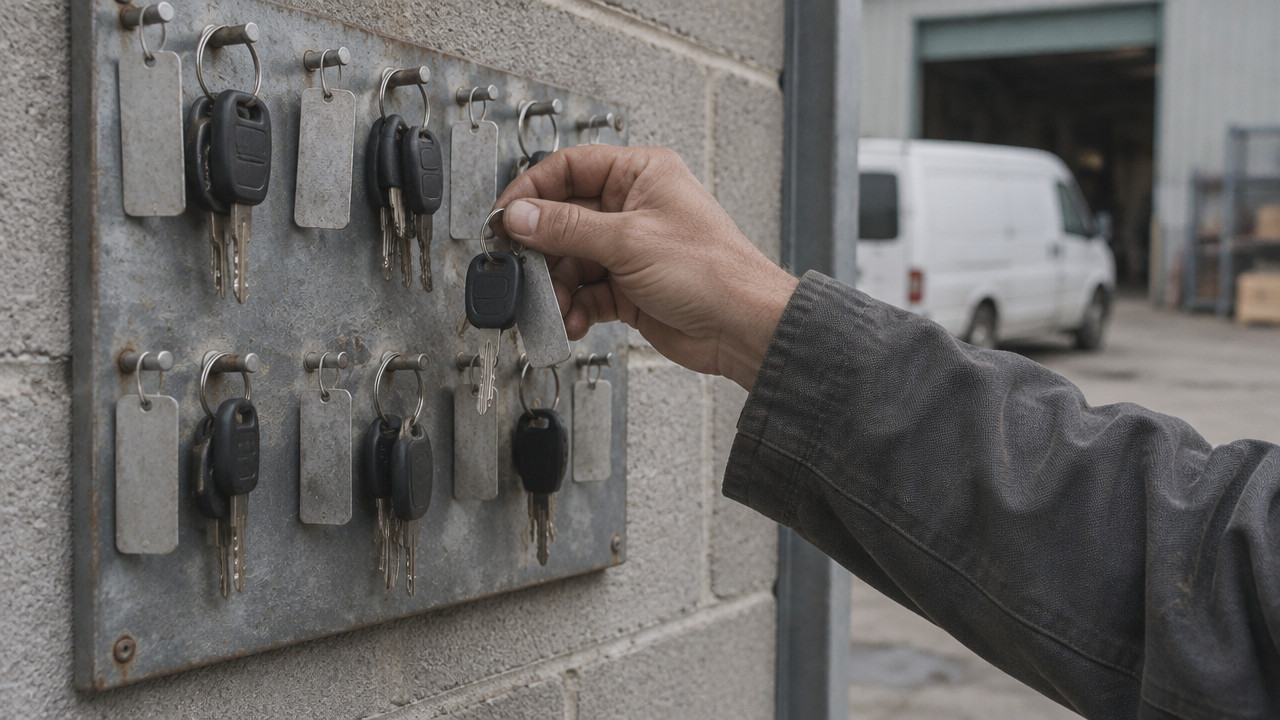
According to Spytec, approximately 41% of small commercial fleets now use GPS tracking. That adoption number shows yards want visibility, but location data alone does not solve the morning board problem. GPS tells you a truck is parked in the lot. It does not tell you the transmission is out or that the next service is overdue. For rental lots, the gap shows up when the booking calendar says a car is available but the keys are not on the hook because the unit is already in the bay.
The single-owner risk is the real fragility point. When one person holds the entire system in their head or on their personal drive, a sick day or a vacation shuts down the yard's decision-making. The spreadsheet might be shared, but the knowledge of how it works is not.
What "Ready" Should Actually Mean Before a Vehicle Leaves the Yard
Marking a vehicle "ready" is not the same as seeing it parked in the lot. A unit is only ready to dispatch when inspections are complete, no active fault code is pending, and no shop job is open. For trades fleets, that distinction matters because sending a van out with an unresolved issue costs more than waiting for the fix.
A proper dispatch-ready vehicles definition has three hard requirements. First, the driver vehicle inspection report (DVIR) must be signed off. Second, no dashboard warning light or fault code can be active. Third, no pending shop job can block the unit. If any of those conditions fail, the status should read "shop" or "next service due," not ready.
According to Geotab, many small fleets now focus on compliance and mechanical soundness metrics like inspections and DVIRs to ensure vehicles are ready for dispatch. This shift toward readiness data, not just location, shows that yard managers are recognizing what actually blocks a vehicle. A truck sitting in the yard is not ready if it failed brake inspection the night before.
- Daily vehicle inspection report (DVIR) completed and signed with no open defects.
- No active check engine light, fault code, or dashboard warning.
- No open shop work order attached to the unit.
- Registration and insurance documents current and stored correctly.
- Next scheduled service date is not overdue or past due within the week.
The three states ready, shop, next service give dispatch a clear answer. If the board says "ready," the unit can leave. If it says "shop" or "next service," dispatch holds the unit. There is no maybe state. The binary nature of the board prevents the half-decisions that cause breakdowns later in the day.
How to Set Up a Morning Readiness Board in Four Steps
Setting up a morning dispatch checklist does not require a software rollout or a multi-day training session. The goal is one row per vehicle and one status everyone reads. The whole process takes about 30 minutes for a 20-vehicle yard.
First, list every vehicle on the board with its unit number and type. Second, have the shop mark the vehicles currently in the bay as "shop" and any upcoming service as "next service." Third, clear dispatch reads the board and sends only the units marked "ready." Fourth, anyone who changes a status updates the board immediately, not the chat.
- List every vehicle with unit ID, type, and current location on one board view.
- Mark each unit with one status: ready, shop, or next service due.
- Dispatch pulls from the ready list only and confirms status before departure.
- Shop updates the board the moment a job opens or closes on a unit.
For contractor fleets, this workflow replaces the morning walk-around and group chat thread with one screen that everyone checks before they touch the keys. The mechanic does not need to find the right person to tell. Dispatch does not need to scroll back through 50 messages to find the current status. The board holds that answer.
The discipline is in the update, not the setup. If the shop finishes a job and does not mark the van "ready," the board is wrong. The rule is simple: the person who changes the vehicle's condition updates the board immediately.
Spreadsheet, GPS, or a Readiness Board: Which Fits a 10–60 Vehicle Yard?
Choosing between a spreadsheet, GPS, or a fleet status tracking board comes down to what question the yard needs answered. A spreadsheet asks where the data lives. GPS asks where the vehicle is. A readiness board asks whether that vehicle may leave.
Spreadsheets are free, widely understood, and fully flexible, but they depend entirely on the person who builds and maintains the file. GPS tracking is essential for long-haul routing and theft recovery, but it will not tell you that a van is due for an oil change or that it failed brake inspection yesterday. A dedicated readiness board tells dispatch exactly who can leave, but it does not provide the breadcrumb trail or location history that GPS offers.
| Method | What It Answers | Who Maintains It | Contract Needs |
|---|---|---|---|
| Spreadsheet + Chat | Where the data lives | One person owns the file | None |
| GPS Tracking | Where the vehicle is | Admin manages devices | Multi-year common |
| Readiness Board | Whether the vehicle can leave | Shop and dispatch update status | No contract, per-vehicle pricing |
Vehicles Manager costs $2.99 per vehicle with per-vehicle pricing and no multi-year contract. The system does not include GPS because that solves a different problem. What it does give a yard is one row per vehicle and three statuses: ready, shop, next service.
A yard that needs location data should absolutely run GPS. A yard that needs to know whether the van can leave should run a readiness board. These are not competing tools. They answer different questions. The mistake is trying to make the spreadsheet do what a board should do, or expecting GPS to tell you who cleared the unit for dispatch.
Frequently Asked Questions About Tracking Dispatch-Ready Vehicles
Can a small fleet track readiness without GPS?
Yes, readiness and location are separate questions. GPS shows where a vehicle is. A readiness board shows whether it is cleared to leave. Fleets at 10–60 vehicles can run a readiness board without GPS hardware and still prevent a van marked "in shop" from being dispatched. Vehicles Manager tracks status, shop, and next service without GPS.
What if the person who owns the spreadsheet is out sick?
The yard loses its single source of truth. When the sheet owner is gone, nobody else knows which tab is current, where the hidden rows are, or how to read the formulas. A shared readiness board solves this because the information lives in a view everyone can access, not in one person's file or head.
How do you stop a van marked in shop from being dispatched?
Put the status on a shared board dispatch reads before every pull. If the board says "shop," the van does not leave. The mechanic updates the board when the job opens. Dispatch checks the board before handing over keys. No amount of chat history or saved files replaces that single visible status.
Does a rental lot need a different readiness process than a contractor yard?
No, the same three-status logic applies. A rental lot has a booking calendar instead of a dispatch board, but the gap is identical: the calendar says available, the key hook says otherwise. One row per vehicle with ready, shop, and next service statuses closes that gap for both rental and contractor yards.
How long does it take to move a vehicle list off Excel?
About 15 minutes for a typical 20–30 vehicle list. The board setup requires listing the units, marking what is currently in the shop, and confirming the status. No hardware is installed and no contract is signed. The time is spent on data entry, not on configuring devices or dashboards.
When is a readiness board the wrong fit for a fleet?
A readiness board does not fit fleets that need routing, telematics, or ERP features. If the yard wants geofencing, driver behavior scoring, or full shop management with parts inventory, a readiness board will not cover those needs. The board solves one problem: whether dispatch can send the unit. Fleets needing broader functionality should look at full in-shop vs ready status management suites that include those features.
Sat Nov 14 · Editorial Team