Vehicles Manager
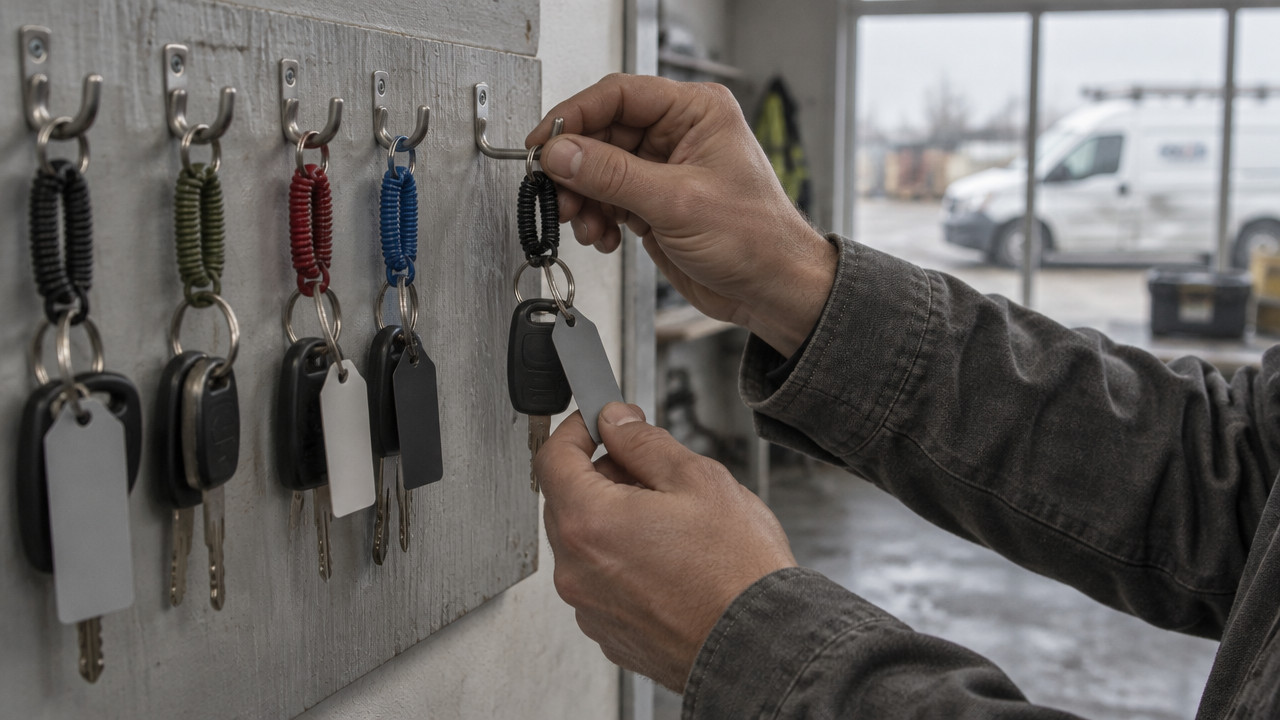
Trucking Software for Small Fleets: Board, Not GPS
The best trucking software for small fleets answers one question at 06:00: which vehicle can leave the yard? Not where it is. Not what it cost last quarter. Can it go. If that answer lives in a spreadsheet and a WhatsApp thread, two people will mark the same van "ready" and "in shop," and dispatch will send it anyway. A live readiness board fixes that with one row per vehicle and three states. Here is how it compares with what you use today.
The Quick Answer: Pick the Tool That Says Who Can Leave, Not Where They Are
A live readiness board wins for any yard running 10 to 60 vehicles on a spreadsheet. You see one row per vehicle. You get three states: ready, shop, next service. That is it. The answer to "can it go" sits in front of everyone at the same time.
This approach strips away the clutter of heavy fleet management software. No GPS dots on a map. No fuel card integrations. No multi-year contracts locking you in. Just the status you need before the morning dispatch call.
- One shared truth: The board shows the same status to the yard manager, the dispatcher, and the shop lead at the exact same moment.
- No version conflicts: When the shop marks a van "in shop," dispatch sees it immediately. No saving and resending files.
- Zero hardware or long-term contracts: $2.99 per vehicle per month. Cancel anytime. No dongles to install.

The core problem trucking software for small fleets must solve is not tracking. It is permission. A live readiness board for small fleets tells you whether a vehicle is fit to roll before you hand the keys to a driver. GPS tells you where it went after it left.
Readiness Board vs. Excel and WhatsApp: Where the 6:40 a.m. Fight Actually Starts
A spreadsheet works fine for one person. The contractor who owns the sheet knows every vehicle, every service date, and every shop ticket. The trouble starts when the yard grows beyond one person's memory. Someone else opens the file at 06:15. Someone else edits a cell. No one saves at the same time. By 06:40, you have two versions of reality.
The shop lead marks the Transit van "in shop" for brakes. The dispatcher opens the file from yesterday and sees "ready." Dispatch sends the van to a job site. The driver gets to the yard, finds no vehicle, and calls the shop. The morning schedule blows up. According to Numeo, small fleets face significant barriers to adopting new technology because existing workflows like spreadsheets feel manageable until the scale becomes unmanageable.
| Factor | Excel + WhatsApp | Live Readiness Board |
|---|---|---|
| Single source of truth | No file conflicts common | Yes one state per vehicle |
| Who can update | Whoever has the file open | Assigned yard and shop roles |
| Sheet owner absent | Board fails, calls ensue | Board persists, visible to all |
| Shop status visibility | Delayed, often outdated | Real-time, one row per unit |
| Setup time | Hours to build and share | Minutes to paste a list |
The rental lot where the booking calendar and key hook disagree by lunch creates the same chaos. A car booked for a customer is marked "in shop" on the board. The rental desk sees it available on the calendar. They hand the keys to the customer. The customer walks to the lot and finds an empty space.
This mismatch happens because small fleet management software often tries to copy the spreadsheet model without fixing the collaboration problem. A rental lot where the calendar and key hook disagree needs one system that tells every stakeholder the same thing at once. WhatsApp threads and shared workbooks can't do that.
Why a GPS Contract Does Not Tell You If the Truck Is Fit to Roll
GPS telematics tells you where a vehicle is right now. That is useful. A fleet readiness board tells you whether it can leave the yard. Those are different questions. A GPS dot on a map shows the Transit van parked at the shop. It does not tell you the brake job is half-finished, the parts are on backorder, and the next service is due in 200 miles.
Many fleet owners sign a GPS contract expecting it to solve the morning board problem. They spend months installing dongles, training staff, and uploading vehicle data. They lock into a three-year term. Then they realize GPS cannot show shop status or service due dates without massive customization.
| Question at 06:00 | GPS Telematics | Readiness Board |
|---|---|---|
| Where is the truck? | Yes live map | No status only |
| Is it in the shop? | Maybe if parked at shop | Yes clear "shop" state |
| When is service due? | No needs manual entry | Yes next service shown |
| Can dispatch send it? | No location doesn't answer this | Yes "ready" state confirms |
| Hardware required? | Yes dongle per vehicle | No software only |
A contractor fleet board ignores location entirely. That is not a weakness. It is focus. The board answers the one question that matters at dispatch: fit to roll or not? GPS provides valuable data for route optimization and driver safety. But it does not solve the vehicle status tracking problem that creates the 06:00 conflict.
Owners stuck in a GPS contract often say, "We are locked in a three-year GPS contract and cannot wait to get out." They thought GPS would replace the spreadsheet. It didn't. Now they pay for GPS and still run the morning board on a spreadsheet.
The $2.99 Math: What 10, 30, and 60 Vehicles Cost Against Heavier Suites
Pricing for small fleet tools often works on a per-vehicle basis. Vehicles Manager charges $2.99 per vehicle per month. The math is straightforward. No setup fees. No long-term commitments. You pay for what you use.
According to Research, the global fleet management software market is projected to expand from approximately $20.73 billion in 2023 as demand grows across all fleet sizes. However, most market growth focuses on large fleets with complex GPS and ERP needs. Small contractor fleets are an underserved segment.
| Fleet Size | Monthly Cost | Setup Effort |
|---|---|---|
| 10 vehicles | $29.90 | Paste a list |
| 30 vehicles | $89.70 | Paste a list |
| 60 vehicles | $179.40 | Paste a list |
Compare that to an ERP-style suite. Those systems often require a setup project lasting weeks or months. They need hardware installation. They lock you into annual or multi-year contracts. The total cost includes software, hardware, implementation, and training. By the time you go live, the morning board problem has persisted for another quarter.
$2.99 per vehicle pricing scales with your fleet. If you have ten vehicles, you pay less than thirty dollars. If you add five more, the bill rises by fifteen dollars. No surprises. The first month is free, which gives you time to test the board against your real morning routine.
Replace the Sheet in 15 Minutes: A Yard Manager's Switch Plan
Setting up a readiness board does not require an IT project. The process takes about fifteen minutes from paste to live board. You do not need to import maintenance history, fuel logs, or driver records. The board holds one status per vehicle. Everything else stays where it belongs.
- Paste your vehicle list from the spreadsheet or WhatsApp thread into the board setup window.
- Set each vehicle to one of three states: ready, shop, or next service.
- Assign yard-level access so each location sees only its own vehicles.
- Mark any vehicles currently in the shop with the shop state and a brief note.
- Share the board link with yard managers, dispatch, and shop leads.
That's it. trades fleets running the morning board can start the same day. Service receipts, inspection dates, and maintenance notes stay on the vehicle record. They do not need to migrate into a separate system.
The goal is not to build a database of every oil change since 2019. The goal is to stop sending a van marked "shop" to a job site. A fleet maintenance tracking software system that takes weeks to implement does not solve the immediate problem. A readiness board that goes live in fifteen minutes does.
Who Should Skip This: Honest Limits of a Three-State Board
A three-state readiness board is not for everyone. If you have one truck, a spreadsheet is overkill. If you need turn-by-turn routing, GPS is the right tool. If you want an ERP that integrates fuel cards, payroll, and compliance reporting, look elsewhere.
| Good Fit | Bad Fit |
|---|---|
| Contractor or rental fleet, 10–60 vehicles | Single vehicle owner-operator |
| Yard managed on spreadsheet + WhatsApp | Fleet needing GPS tracking or routing |
| Owner wants same-day decision, no contract | Organization seeking full ERP integration |
| Morning board is the daily bottleneck | Complex compliance or fuel management needs |
A landscaping crews with mixed trucks and trailers situation fits well. The yard manager needs to know which truck can leave. They do not need to know where it is every minute. They need to know if it is road-ready.
The board also works for municipal and trades fleets with multiple yards. Each yard sees its own vehicles. No one accidentally borrows a truck from another location. Honest limits matter. Yard management for small fleets is about focus. The board solves one problem well and ignores the rest.
Key Takeaways: Three States, One Row, No Morning Argument
The readiness board approach strips fleet management down to the essential question. Can the vehicle leave? Everything else is secondary. The board replaces the morning spreadsheet conflict with a shared, real-time view.
- One row per vehicle eliminates version conflicts between yard, shop, and dispatch.
- Three states only ready, shop, next service keeps the board simple and actionable.
- $2.99 per vehicle with no GPS, no hardware, and no multi-year contract.
- Setup in 15 minutes by pasting a list and assigning yard access.
- First month free lets you test the board against real morning chaos.
For movers juggling trucks across jobs, the board provides the same clarity. Each truck shows its status. The dispatcher sees what can leave. The shop sees what needs work. No arguments. No phone calls asking "is TX-4412 ready?"
FAQ: Sheets, GPS, Setup Time, and Switching Without Drama
We already have a spreadsheet. Why switch?
No. A spreadsheet works until two people edit it at once. A municipal fleets with several yards approach needs a board because file conflicts multiply with each location. The board provides one shared view that updates instantly.
We pay for GPS already. Do we need this too?
Yes. GPS shows location, not readiness. If your GPS contract cannot show shop status or service due dates, you still need a board. The two tools solve different problems.
How long does setup take?
About 15 minutes. Paste your list, set states, assign yards. No data migration, no hardware installation, no training sessions. The board goes live the same day.
Is there a contract?
No. Pay month to month. Cancel anytime. The first month is free so you can confirm the board solves your morning problem before you pay.
What is not included?
GPS tracking, routing, fuel cards. The board focuses on readiness. If you need those features, you need a different category of vehicle inspection and shop tracking or fleet software. This tool stays focused on the status board.
Sat Oct 31 · Editorial Team