Vehicles Manager
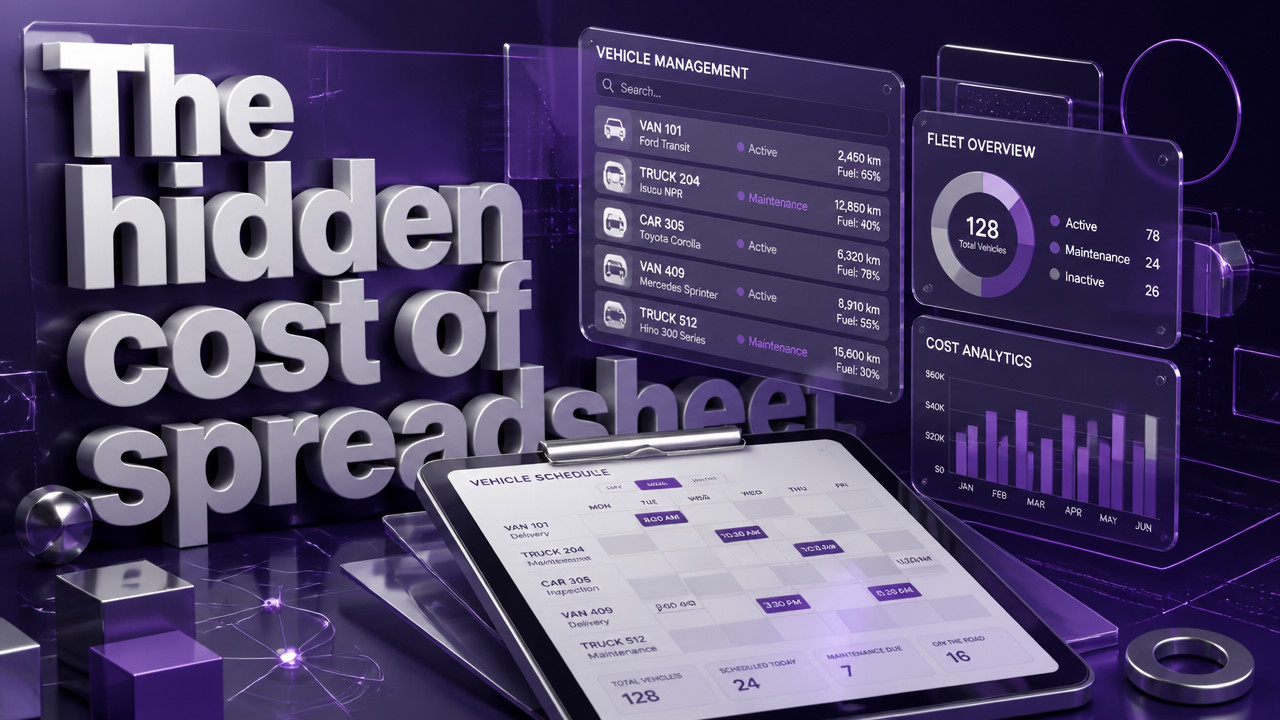
Best Way to Manage Vehicle Availability Without GPS
The most effective method to manage vehicle availability for a small fleet without GPS is a live status board that shows ready, in-shop, and inspection-due states in real time. GPS tells you where a vehicle went yesterday; status tracking tells you whether a unit can leave the yard this morning. For fleets of 10–60 vehicles running on spreadsheets and WhatsApp threads, the operational question is not location it is readiness. When two people mark the same van differently at 06:00 and dispatch still sends it, the gap is not tracking miles. It is knowing which vehicles are actually cleared to go.
Quick Answer: Status Boards Replace Location Tracking for Yard-Level Availability
Understanding fleet readiness tracking starts with one distinction: knowing where a vehicle is located does not tell you if it can work. A vehicle can be parked in the yard, fully visible on a GPS map, while the transmission sits in pieces in the shop. GPS tracking confirms presence. Vehicle status management confirms permission.
Small fleet operators often conflate the two. They sign three-year contracts for telematics boxes, expecting those devices to solve dispatch conflicts. The hardware tells them the van never left the lot. It does not explain why dispatch sent a driver to pick it up anyway. The morning board answer requires something different: a live readiness board that shows operational state, not coordinates.
For a 20-vehicle contractor fleet, the morning question is simple: what can leave right now? GPS cannot answer that question alone. It requires manual cross-referencing with a separate maintenance log or spreadsheet the very system that caused the conflict in the first place.

| Feature | GPS Tracking | Status Board |
|---|---|---|
| Primary Data Point | GPS coordinates, speed, geofence alerts | Operational state: ready, shop, inspection due |
| Morning Dispatch Answer | Where the vehicle is now | Whether the vehicle can leave the yard |
| Hardware Requirement | Installed telematics box, ODB-II plug | No hardware, browser or app access |
| Contract Term | Typically 3-year lock-in | Month-to-month, cancel anytime |
| Cost Structure | $25–$40 per vehicle/month plus hardware | Flat rate per vehicle, no install fees |
| Shop Visibility | None shows vehicle in yard | Shows in-shop status and return date |
The table above makes the distinction clear. If your morning problem is "where did the driver go," you need GPS. If your morning problem is "did maintenance clear this unit," you need a status board. Most small fleets suffer from the second problem while paying for the first solution.
Why Excel and WhatsApp Threads Fail at 06:00 Dispatch
The spreadsheet works fine until it does not. A contractor fleet of 35 vehicles typically runs operations through one shared Excel file stored on a cloud drive. The yard manager updates it at 05:45. The dispatcher opens it at 06:00. The shop foreman has his own copy open on a tablet. When two people edit the same row, the save conflict creates version divergence. The last saved version wins. The other changes vanish.
WhatsApp makes this worse, not better. Chat threads move fast. Someone posts "Van 22 ready" at 05:50. The mechanic posts "Van 22 in shop" at 05:52. The dispatcher, catching up on 47 unread messages, sees the first post and ignores the second. The spreadsheet still says ready. The chat says in-shop. The driver gets the keys and finds the seat missing. Contractor fleet coordination fails because the tools were never meant to serve as real-time operations software.
- The simultaneous-edit conflict: Two users open the same spreadsheet, make different changes to row 14, and only one version survives the other update disappears silently.
- The chat lag problem: Status updates posted in a WhatsApp thread get buried behind fuel receipts, lunch orders, and personal messages before dispatch reads them.
- The single-owner bottleneck: Only one person knows the spreadsheet logic. When that person takes a vacation or calls in sick, nobody can decipher the color codes and hidden columns.
- The rental lot mismatch: The booking calendar shows a car available for rent. The key hook is empty. Nobody realizes the car has been in the shop for three days until a customer is standing at the counter.
- The version control trap: Someone saves a local copy to make edits on the train. That file becomes the new master. The old master continues updating. The two versions never reconcile.
These failures happen every single morning in yards across the country. The spreadsheet owner cannot scale. The chat thread cannot filter. The morning board requires a system built for non-GPS fleet coordination, not ad-hoc tools pressed into service.
Three-State Visibility: Ready, Shop, and Next Service Due
Small fleets do not need complexity. They need clarity. Enterprise fleet software offers dozens of status codes, custom workflows, approval chains, and integration layers. A contractor with 18 vehicles does not need any of that. They need three states: ready, in-shop, and next service due.
Ready means the vehicle passed inspection, has fuel, and can leave the yard right now. Shop means the vehicle is under repair and unavailable for dispatch. Next service due shows when the next inspection or maintenance interval arrives. That is it. Three pieces of information per vehicle, visible on one board, updated in real time.
This simplicity prevents field failures. When the next-service date appears on the morning board, dispatch knows which units need routing back by Friday. The shop knows which vehicles to pull in proactively. Drivers do not discover brake problems 40 miles from the yard. Rental fleet status board visibility stops the scramble.
According to Eliteextra, preventive maintenance significantly reduces downtime for commercial fleets. The research indicates that proactive maintenance scheduling prevents 70-80% of unexpected breakdowns. A three-state board makes that scheduling visible to everyone who needs it. The yard manager sees which units approach service dates. The shop sees the queue. Dispatch avoids routing vehicles that need to return soon.
Enterprise ERPs bury this information under layers of menus and permissions. A maintenance availability system for a small fleet should show the answer on the first screen. No clicking, no drilling down, no navigating between modules. One row per vehicle. Three columns. The answer appears instantly.
How to Set Up a Manual Status Board in Under 20 Minutes
Setting up a status board does not require IT support, hardware installation, or multi-day training. The process takes less time than the morning coffee run. For municipal fleet board managers or private contractors, the workflow stays the same: paste, assign, filter, done.
- Export or paste your fleet list: Copy vehicle IDs, unit numbers, or license plates from your existing spreadsheet or database. Most systems accept a simple paste operation no formatting required.
- Assign initial states: Mark each vehicle as ready, in-shop, or due for service. If you have an existing spreadsheet, the board imports those states automatically during the paste step.
- Filter by location or lot: If your fleet operates across multiple yards, apply a location filter. Each lot sees only its own vehicles, preventing confusion and cross-lot conflicts.
- Add team members by role: Invite the yard manager, dispatcher, and shop foreman. Role-based permissions ensure each person sees relevant information and can update appropriate fields.
- Test one morning cycle: Run the next morning dispatch through the board. Update status from ready to out, then back to ready. Confirm real-time sync across all logged-in devices.
- Retire the spreadsheet: After one successful morning, delete the master spreadsheet shortcut. Do not keep parallel systems. The old way creates conflict. The new way removes it.
No technician visits the yard. No cables get run. No telematics boxes get installed under dashboards. The board runs entirely in the browser and on mobile apps. Setup happens on a phone while standing in the lot.
Smartphone Driver Apps Provide Real-Time Updates Without Fleet Hardware
GPS tracking usually implies installed hardware: a black box under the dashboard, wired to the vehicle’s power supply, transmitting coordinates via cellular connection. That hardware requires installation time, ongoing airtime fees, and multi-year contracts. But drivers already carry GPS devices in their pockets.
Modern smartphone apps can leverage built-in phone GPS for shuttle fleet dispatch verification and route confirmation. The driver checks in on the app. The yard sees the status change. When the job finishes, the driver marks the vehicle ready for the next assignment. Location data confirms route completion without requiring proprietary fleet hardware.
According to Upperinc, modern driver apps can use the GPS built into smartphones to provide real-time location tracking, route optimization, and delivery verification. This approach eliminates hardware costs while still providing dispatch visibility. The phone already does the work. Fleet-specific telematics boxes duplicate that capability at a higher price point.
The key difference: phone-based status updates serve dispatch readiness board functions, not surveillance functions. The yard sees when a driver marks a job complete. They see when a vehicle returns to the lot. They do not see a breadcrumb trail of every stop the driver made along the way. For small fleets that trust their drivers, this distinction matters.
Stop Double-Booking: One Live Row Per Vehicle Across All Lots
Rental fleets face a specific nightmare: the double-booking. The reservation system shows the Nissan Sentra booked for Tuesday. The key hook sits empty. The customer waits at the counter. Nobody realizes the car died on the lot three days ago and the shop has not looked at it yet.
This happens when the booking calendar and the maintenance log live in separate systems. The rental software manages reservations. The shop tracks repairs on a whiteboard or spreadsheet. The two never connect. A moving company fleet boards manager faces the same gap dispatcher assigns a truck that the shop already flagged for brake work.
A single live row per vehicle prevents this conflict. The reservation system can still handle bookings. The status board answers the operational question: is that booked unit actually fit to go out? When the shop marks a unit in-service, the reservation system sees that state. The rental counter cannot promise what maintenance has not cleared.
- Rental counter clarity: The agent sees shop status on the same screen as booking availability. A car in the shop appears unavailable even if the calendar shows a gap.
- Yard conflict prevention: When two lots share one fleet, the live board shows which vehicles sit on which lot. No more assigning a unit that lives on the wrong side of town.
- Shop queue visibility: Mechanics update status from their phones. Dispatch sees real-time completion estimates. The yard manager knows what returns to service and when.
- Dispatch holds resolved: When a driver reports a breakdown via the app, the vehicle immediately shows in-shop status. Dispatch stops the next assignment before it happens.
Vehicle deployment control requires a single source of truth. Two systems reservation and maintenance create two versions of truth. Live boards connect them.
Cost Comparison: $2.99 per Vehicle vs. GPS Contract Lock-In
GPS telematics contracts lock fleets into three-year terms. Hardware costs run $50–$150 per unit. Monthly service fees average $25–$40 per vehicle. Installation requires technician time often billed separately. For a 20-vehicle fleet, the first-year cost runs$12,000–$18,000 in hardware, installation, and service fees combined.
Compare that to a status-board approach. No hardware. No installation. No multi-year contract. Transparent per-vehicle pricing means $2.99 per vehicle per month. A 20-vehicle fleet pays $59.80 monthly, or approximately $718 annually. The first month is free. Cancellation happens anytime no early termination fees, no buyout clauses.
| Cost Factor | GPS Telematics | Status Board |
|---|---|---|
| Hardware Cost | $50–$150 per unit | $0 |
| Installation | $75–$150 per vehicle | $0 |
| Monthly Service | $25–$40 per vehicle | $2.99 per vehicle |
| Contract Term | 36 months typical | Month-to-month |
| Early Termination | Buyout required | Cancel anytime |
| 20-Unit Annual Cost | $6,000–$9,600+ | $717.60 |
The math speaks for itself. If your fleet needs continuous location tracking, driver behavior scoring, and geofence alerts, GPS telematics provides value. If your fleet needs to know whether the morning board matches reality, a status board delivers that answer at 8% of the cost.
Key Takeaways for Small Fleet Availability Management
The decision framework separates location problems from readiness problems. GPS solves location problems if you need to know where your vehicles are right now, telematics provides that data. Readiness problems require a different toolset. The morning dispatch conflict happens because two people marked the same row differently. GPS does not fix that.
- Status-first beats location-first for yard-level dispatch: The morning question is "what can leave," not "where did it go." Answer the right question with the right tool.
- Three states suffice: Ready, in-shop, and next service due provide all the information a small fleet needs for morning dispatch decisions. Complexity adds cost without clarity.
- Spreadsheets and chat threads cause conflicts: The simultaneous-edit problem and message lag that plagues WhatsApp operations does not exist in live-synced boards.
- No hardware required: Setup happens in minutes via browser or app. No technician visits, no dashboard drilling, no contract signature.
- Replace the spreadsheet before the next conflict: Every morning run on an outdated master file risks sending a driver to a broken unit. Landscaping fleet operations and similar trades cannot afford that mistake during peak season.
The spreadsheet works until the day it does not. That day usually arrives at 06:00, with a driver standing in the yard, keys in hand, staring at a van that cannot move.
FAQ: Managing Fleet Availability Without GPS
What is what is the best way to manage vehicle availability for a small fleet without GPS?
what is the best way to manage vehicle availability for a small fleet without GPS is an important topic worth understanding in depth. Getting familiar with the fundamentals helps you achieve better results and avoid common pitfalls.
How does what is the best way to manage vehicle availability for a small fleet without GPS work?
what is the best way to manage vehicle availability for a small fleet without GPS works by following a structured approach. Start with the core basics, then build your knowledge progressively consistency is key to seeing real results.
Is what is the best way to manage vehicle availability for a small fleet without GPS right for me?
For most users, yes. The key is matching the approach to your specific goals and constraints. Evaluating a few options before committing saves time and money in the long run.
- I already have a spreadsheet. Why change it?
- Yes, you need to change it. The spreadsheet works for one person editing in isolation. It fails when two people edit simultaneously exactly what happens at 06:00 in every small fleet yard. Live trade fleet management boards sync updates instantly across all users, preventing the version conflicts that send broken vehicles to job sites.
- Is my fleet too small for a status board?
- No small fleets benefit most. Fleets under 10 vehicles can manage with a whiteboard. Fleets over 60 vehicles usually have dispatch staff and ERP systems. The 10–60 vehicle range is precisely where spreadsheet conflicts become unmanageable and enterprise software becomes overkill.
- I don't have time to set up new software.
- Setup takes 15–20 minutes. Paste your fleet list, assign initial states, and invite team members. No IT support needed. The board imports your existing data. If you can copy and paste, you can complete the setup during a single coffee break.
- We already pay for GPS. Can we still use a status board?
- Yes they solve different problems. GPS tells you where vehicles went. Status boards tell you whether vehicles can leave. Many fleets run both systems simultaneously. The telematics box handles location tracking; the status board handles morning dispatch decisions. Different tools for different questions.
- Do I need to install hardware?
- No hardware required. The system runs entirely through browsers and mobile apps. Drivers update status from their phones. Dispatch views the board on a desktop or tablet. Nothing gets bolted under dashboards or wired into OBD ports. Setup happens without a single tool touching a vehicle.
- What happens if I cancel?
- You leave with no penalties. Month-to-month plans mean no buyout fees, no early termination clauses, no three-year lock-in. Export your data, close the account, and the billing stops immediately.
Sun Oct 18 · Editorial Team