Vehicles Manager
How Small Contractors Manage Vehicle Availability Without GPS
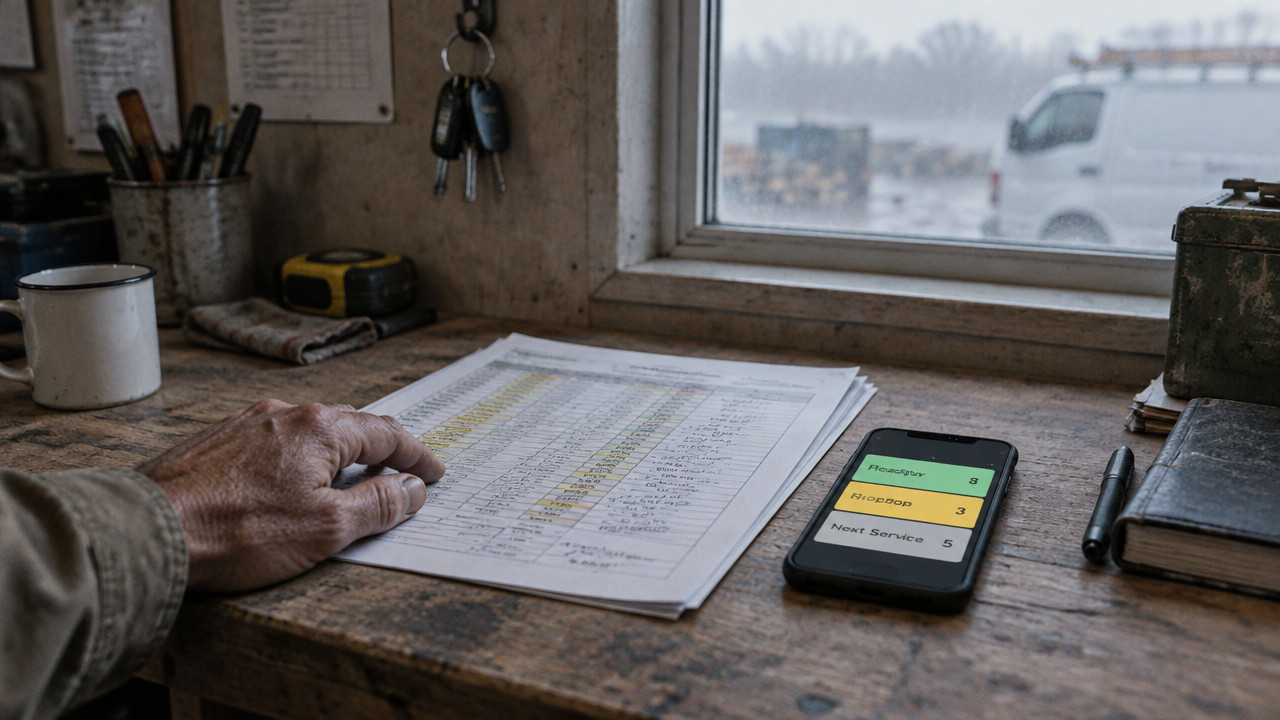
They keep one status per vehicle where everyone can see it. GPS shows where a truck is. It does not show whether the truck is allowed to leave the yard. Small contractor fleets of 10–60 vehicles solve this with a single morning row per unit: ready, in the shop, or next service due. No sheet owner to chase, no WhatsApp thread to scroll, no crew staged around a van that has been in the shop since last night.
Quick Answer: One Row Per Truck, Three States, One Source
Small contractors manage vehicle availability without GPS by using a single shared status board that every yard employee checks before dispatch. Instead of guessing based on location data or chasing down a spreadsheet owner, the crew sees three clear states per truck: ready, shop, or next service. According to Spytec, adoption rates for telematics have grown significantly in recent years, but many small operators still prefer simpler status-based systems. The right contractor fleet board answers the only question that matters at 6 a.m.: which trucks can leave right now.

- Ready: The vehicle has passed inspection, has no open issues, and is cleared for dispatch.
- Shop: The vehicle is under repair or awaiting parts and cannot leave the yard under any circumstance.
- Next Service: The vehicle can run today but needs scheduled maintenance soon oil change, brakes, or inspection.
GPS Tells You Where the Van Is. Not Whether It Can Leave.
Location data creates a false sense of confidence. You see a dot on a map and assume that truck is good to go. The map does not know the transmission is slipping or the inspector flagged the brakes yesterday. This is why small contractor fleets still rely on non-GPS methods for vehicle status tracking. They need to know readiness, not coordinates.
Consider the 6:40 a.m. rush. The morning crew arrives. Two supervisors open the same spreadsheet from different phones. One marks the Transit "ready" because it was fine yesterday. The other marks it "shop" because the night shift told him the brakes are shot. Dispatch sends the Transit to a job site. The crew shows up to a truck on blocks.
Two people, two versions of the same spreadsheet, one van marked ready and shop at the same time. The job is waiting. The crew is staged. The van has been in the East shop since last night.
This scenario plays out daily in small fleets. trades and site-work fleets cannot afford to send a broken truck to a pour or a framing job. According to Geotab, the continued reliance on alternative methods for vehicle availability management remains common among the smallest contractors who prioritize immediate yard visibility over real-time location tracking.
The Three-State Morning Row That Stops a Shop Van From Rolling
A readiness board uses three states because that is all dispatch needs. Anything more creates clutter. Anything less invites mistakes. The system forces clarity: one status per vehicle, visible to everyone, updated in real time.
When a mechanic or yard manager changes a truck's status to "shop," that status blocks the vehicle from dispatch. No conflicting spreadsheet version. No buried WhatsApp message. The board shows shop, and the dispatcher moves to the next truck.
| Unit ID | Model | Status | Note |
|---|---|---|---|
| TX-4412 | F-250 | Ready | North site delivery |
| TX-1180 | Transit | Shop | Brakes East shop |
| TX-9074 | F-150 | Next Service | Oil change due tomorrow |
| TX-3308 | Dump Truck | Ready | Hwy 6 pour |
The TX-1180 row stops the mistake before it happens. A landscaping crews dispatcher glances at the board, sees "shop," and assigns TX-4412 instead. No phone call to the mechanic. No argument about who said what in the group chat. The status is the answer.
Build Your Yard Board in 15 Minutes From the WhatsApp Thread
Most small contractors already have a list. It lives in a WhatsApp thread, a Notes app, or a column in Excel. You do not need to start from scratch. The fastest way to build a readiness board is to paste the list you already use.
- Paste your vehicle list from WhatsApp or Excel. The system creates one row per truck in seconds.
- Assign each vehicle its morning status. Set ready, shop, or next service for the current moment.
- Split vehicles by yard if you run multiple locations. Each yard manager sees only their trucks.
- Attach receipts or service notes to the vehicle row. The oil change receipt lives on the truck, not in a buried message.
- Share the board link with your yard crew. Everyone checks the same source before dispatch.
The first month is free. No credit card required. After that, it is $2.99 per vehicle pricing with no hardware, no GPS contract, and no multi-year commitment.
Spreadsheet vs. GPS vs. Readiness Board: Where Each One Breaks at 6:40 a.m.
Every system has a breaking point. The question is whether it fails before or after the truck leaves the yard. Small fleets need to know where the failure happens and what it costs them in wasted time, angry customers, and emergency repairs.
Spreadsheets fail when two people edit at the same time. GPS fails when location data masks mechanical problems. A readiness board fails only if someone refuses to update the status and even then, the board shows who last touched it.
| Method | 6:40 a.m. Conflict | Shop Visibility | Multi-Yard Sync | Setup Time | Monthly Cost |
|---|---|---|---|---|---|
| Spreadsheet + WhatsApp | Two versions, one van | Buried in chat | Manual merge | Low | Free (labor cost high) |
| GPS Telematics | Location says ready | Not visible | Dashboard login | High (hardware) | Contract required |
| Readiness Board | One status shown | Blocked at dispatch | Instant | 15 minutes | $2.99/vehicle |
For rental lots, the gap between the booking calendar and the key hook creates the same problem. A car in the shop gets handed to a customer because the reservation system does not talk to the maintenance log. A readiness board fixes this by putting the shop status on the same row as the booking.
According to Motowatchdog, manual tracking creates blind spots that can negatively impact cost control and productivity. The study highlights what yard managers already know: when the status lives in a spreadsheet that only one person updates, the rest of the crew operates in the dark.
When a Board Is the Wrong Tool: Honest Limits for One-Truck Owners and Routing Fleets
A readiness board is not for everyone. It solves one specific problem: yard-level visibility for fleets of 10 to 60 vehicles. If you run a one-truck operation, you do not need a board. If you need turn-by-turn routing, the board will not help. If you want a full ERP with fuel logs, driver scoring, and compliance reports, this is the wrong tool.
- One-truck owners: Use a notebook or a calendar. You do not need fleet software.
- Fleets needing routing and navigation: Use GPS telematics with route optimization built in.
- Large fleets with dispatch desks: Use enterprise fleet management software with full ERP integration.
- Yards seeking fuel tax reporting: Use IFTA-compliant logging systems, not a status board.
Operating without GPS tracking can lead to significant hidden costs. According to Ezlogz, unmanaged fuel waste from idling and inefficient routing can cost small fleets thousands per year. A readiness board does not solve routing inefficiency. It solves the morning dispatch mistake. That distinction matters. Use the municipal fleets approach for compliance-heavy needs, but keep the morning board simple for availability.
Key Takeaways: Fix the Morning Row Before You Buy Any Tracking
Small contractors who ask how to manage vehicle availability without GPS are really asking: how do I stop sending the wrong truck to the wrong job? The answer is not better location data. The answer is a shared, single-source status board that the whole yard trusts.
- Readiness and location are different problems. GPS tells you where the truck is. A readiness board tells you if it can leave.
- Three states cover 95% of morning decisions. Ready, shop, next service. No more columns needed.
- One source beats a spreadsheet and a chat thread. Stop merging versions and scrolling for updates.
- No hardware, no contract, $2.99 per vehicle. The Vehicles Manager model works because it stays simple.
- Bad fits exist and that is okay. One-truck owners and routing fleets need different tools.
FAQ: Spreadsheets, Shared Yards, and Life Without a GPS Contract
Does a readiness board replace the spreadsheet I already use?
No, it replaces the conflict. You paste the same list into the board. The difference is that only one status exists at a time, visible to everyone. The spreadsheet you use today lets two people save different versions. The board forces one truth. For movers and hauling fleets, this cuts the morning phone calls in half.
What if I already have a GPS contract I cannot break?
Keep the GPS for location. Use the readiness board for yard dispatch. The two systems do different jobs. Your GPS tells you the truck made it to the site. The board tells you it was safe to send. Most fleets run both without conflict.
Can I split the board across multiple yards?
Yes, each yard sees only its own trucks. The manager at the North yard does not see the South yard's rows unless you grant access. This stops quiet borrowing between locations and keeps the morning row clean.
Where do service receipts and mechanic notes go?
Attached to the vehicle row. The brake job receipt lives on TX-1180, not in a WhatsApp thread from three weeks ago. When someone checks the truck's history, the notes are there.
How long does it take to set up a readiness board?
About 15 minutes from paste to live. You import your list, set the morning statuses, and share the link. No database project, no IT setup, no hardware installation. The small contractor fleet management process stays focused on the morning row.
Wed Oct 28 · Editorial Team