Vehicles Manager
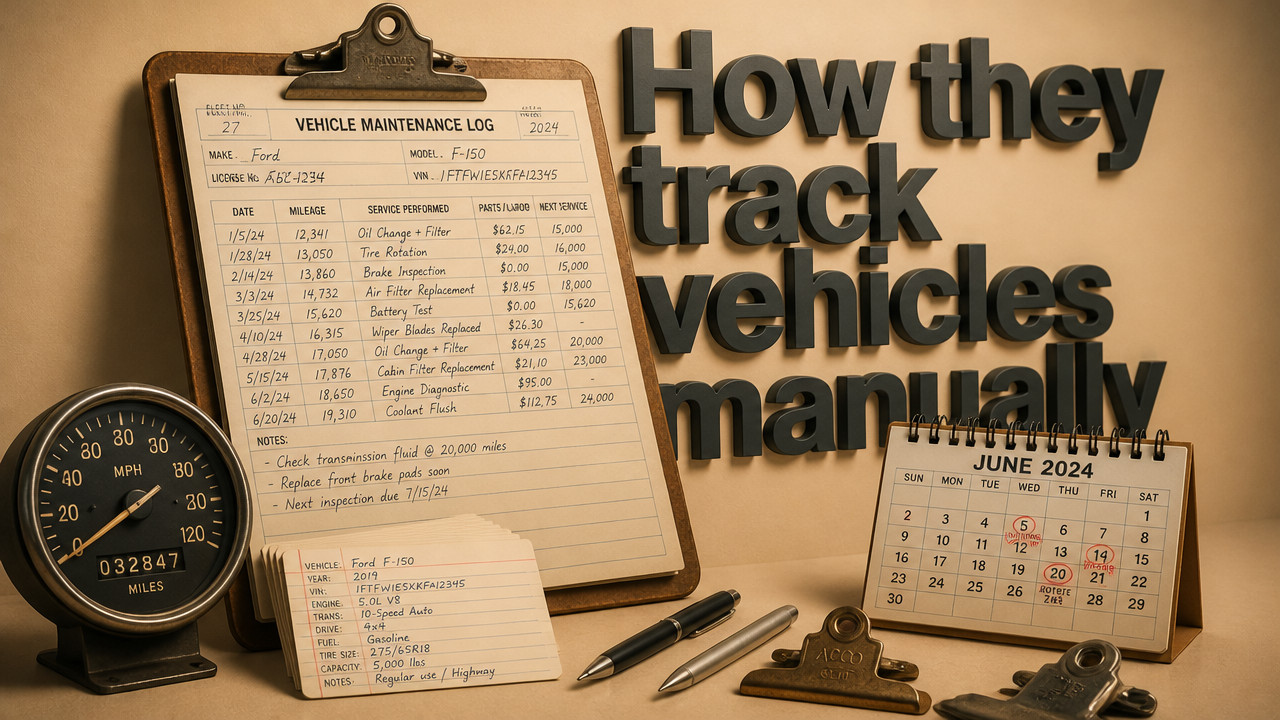
How Small Contractors Manage Vehicle Maintenance Without GPS
Most small contractors with 10–60 vehicles manage maintenance through structured service schedules, driver feedback, and manual inspections not GPS technology. The morning board determines which trucks can leave the yard based on maintenance status, not location. When the spreadsheet and WhatsApp thread disagree at 6:40 a.m., a vehicle marked "in shop" still gets dispatched to a job site. GPS answers where your truck is, not whether it's allowed to leave or when service is due.
Quick Answer: The Three-Column System That Replaces GPS for Maintenance
Small contractors have run fleets for decades without a single satellite ping. The system that works isn't complex telemetry it's a simple three-column board that lives at the yard entrance. Each vehicle gets one row. The columns track status, next service date, and shop notes. That's it.
According to industry guidance from SMACNA, small contractors without GPS technology typically rely on structured maintenance schedules, driver feedback, and manual inspections to manage vehicle upkeep effectively. The method works because it matches how crews actually operate visually, in real time, at the start of every shift.
- Status Column: Ready, Shop, or Hold tells dispatch if the vehicle can leave today
- Next Service: Date or mileage interval for oil changes, inspections, and major repairs
- Shop Notes: Visible repair details "brakes squeal," "AC out," "due Friday"

Location tracking tells you where a truck parked two hours ago. A contractor fleet board tells you whether that truck can pull out of the yard right now. For contractors running 10–60 vehicles across multiple job sites, readiness matters more than real-time coordinates.
Structured Service Intervals Beat Real-Time Location Data
GPS mileage tracking sounds precise. The system pulls odometer readings automatically and alerts you when service is due. But for small fleets, that precision comes with a cost multi-year contracts, hardware installation, and monthly fees that compound fast. More importantly, mileage-based alerts assume the truck is moving. They miss the vans sitting in the shop for three days while the clutch gets replaced.
Contractors who skip GPS use a different approach: time-based and usage-based intervals set by the person who knows the work. A dump truck on a highway pour gets different service intervals than a F-150 running parts between sites. The yard manager sets the schedule based on what the truck actually does not what a telemetry dashboard assumes.
[table] [thead][tr][th]Method[/th][th]Data Source[/th][th]Update Frequency[/th][th]Cost[/th][th]Best For[/th][/tr][/thead] [tbody][tr][td]GPS Mileage Tracking[/td][td]Telematics hardware[/td][td]Real-time automatic[/td][td]$20–40/month per vehicle[/td][td]Large fleets with dispatch desks[/td][/tr] [tr][td]Manual Schedule[/td][td]Driver log + stickers[/td][td]Daily or weekly[/td][td]$0–5/month per vehicle[/td][td]Small contractor yards[/td][/tr] [tr][td]Hybrid Board System[/td][td]Digital board + manual input[/td][td]Per-shift updates[/td][td]$2.99/month per vehicle[/td][td]10–60 vehicle fleets[/td][/tr] [/tbody] [/table]For contractors managing trades fleet management, the manual approach scales better. You don't need a dispatch desk or IT setup. The board lives where the trucks park. The driver sees the status before they grab the keys. The shop writes notes where dispatch can read them. No contract, no hardware, no three-year lock-in.
Driver Pre-Trip Inspections Create the First Defense Line
The best maintenance system fails if drivers skip the walkaround. Small contractors catch problems early because someone looks at the truck every single morning. Not a diagnostic scan a human walkaround that catches what sensors miss: the slow leak, the damaged mirror, the load strapped wrong.
According to maintenance guidance from Maintainly, small contractors without GPS technology typically rely on structured maintenance schedules, driver feedback, and manual inspections to manage vehicle upkeep effectively. The inspection isn't paperwork it's the driver's first job of the day. If they skip it, the truck doesn't leave.
- Walk around the vehicle check tires, lights, mirrors, body damage
- Check fluid levels oil, coolant, windshield washer
- Test brakes and steering air pressure, pedal feel, response
- Inspect load and equipment straps, tools, materials secured
- Report defects verbally or on paper before the truck starts
- Sign off on the board confirms the vehicle passed inspection
Contractors running landscaping fleet operations depend on these walkarounds. Mowers, blowers, and trailers wear differently than cargo vans. The driver hears the rattle, sees the worn belt, feels the pull in the steering. No GPS alert catches that. The driver catches it because they're standing next to the truck at 6:15 a.m.
How Shop Managers Update Status Without Telematics
The morning board only works if the information is current. That's where shop managers close the loop. When a truck pulls into the bay, the status changes. When the repair finishes, the status changes again. The board reflects reality or dispatch sends a truck that can't run.
Shops use different methods to update status. Some use magnetic tags on a metal board. Others use colored dots on a whiteboard. Digital boards work the same way one click changes "Ready" to "Shop" and back. The method doesn't matter. The update does.
What kills the system isn't the method it's the version conflict. Two people open the same spreadsheet at the same time. One marks the van "Ready." The other marks it "Shop." The last save wins. Dispatch sends the truck with the bad clutch because the saved file is wrong.
This is where rental fleet status tracking fails on shared drives. The booking calendar says the car is available. The key hook says it's in the shop. The customer waits. The manager explains. The spreadsheet owner gets a call on their day off. The system works until someone edits the wrong version.
The Morning Board: When Spreadsheets and WhatsApp Collide
Every contractor knows the 6:00 a.m. chaos. The crews arrive. The trucks line up. Dispatch needs to know which units can roll. The yard manager opens the spreadsheet. The shop supervisor opens a different version. Drivers message defects on WhatsApp. By 6:40, nobody knows which file is current.
The spreadsheet + WhatsApp combination works right up until it doesn't. Then it fails catastrophically. A truck marked "Shop" gets dispatched anyway. A crew stages for a job that can't happen. The phone calls start. The customer waits. The morning schedule burns.
- Concurrent edits: Two people, one file, no merge logic last save wins
- Message fragmentation: Defects buried in WhatsApp threads, not on the board
- Single-point dependency: Only the sheet owner knows what the status means
- No audit trail: Who changed what, when, and why is lost in saved versions
A live readiness board solves this by holding one status per vehicle. The shop sees the same board as dispatch. The driver sees the same notes as the yard manager. When status changes, everyone sees it. No saved files, no version conflicts, no "I thought you knew the van was in the shop."
Service History Tracking: Receipt Folders vs Digital Records
Small contractors track service history two ways: a folder in the truck or a digital record in the cloud. Both work. Both have tradeoffs. For contractors running DOT-adjacent work, the record matters as much as the repair audit trails aren't optional.
Receipt folders live in the cab. The mechanic staples the invoice to the maintenance log. The driver signs off. When someone needs the history, they walk to the truck and open the folder. Simple but not searchable, not backed up, and not accessible when the truck is on a job site.
[table] [thead][tr][th]Storage Method[/th][th]Accessibility[/th][th]Searchability[/th][th]Audit Trail[/th][th]Setup Time[/th][/tr][/thead] [tbody][tr][td]Physical Folder[/td][td]Truck cab only[/td][td]Manual search[/td][td]Paper receipts[/td][td]Zero setup[/td][/tr] [tr][td]Spreadsheet Log[/td][td]Shared drive[/td][td]Filter/search[/td][td]Manual entry[/td][td]Hours to days[/td][/tr] [tr][td]Digital Board System[/td][td]Cloud, mobile[/td][td]Per-vehicle history[/td][td]Auto-timestamped[/td][td]15-minute call[/td][/tr] [/tbody] [/table]For contractors handling municipal fleet tracking or DOT-compliant work, digital records reduce the audit burden. The service date, the repair, and the receipt sit on the vehicle record. When the inspector asks for proof, you pull it up in seconds not hours of searching through folders.
Step-by-Step: Building a Manual Maintenance Calendar
Setting up a maintenance calendar without GPS takes an afternoon. The work isn't technical it's organizational. You need a vehicle list, service intervals, and a system that alerts the right person at the right time.
Contractors who switch from spreadsheet chaos to a simple pricing at $2.99 per vehicle board often start the same way: they list what they have, set the intervals, and assign who updates. The board does the rest.
- List every vehicle: Unit number, type, yard assignment, current mileage
- Set service intervals: Oil changes, inspections, tire rotations by date or mileage
- Assign responsibility: Who marks status, who schedules shop time, who approves dispatch
- Choose alert method: Dashboard view, text alert, or morning board check
- Test the loop: Run one week of status updates before rolling out to crews
For contractors running 10–60 vehicles, the manual calendar works because it fits the operation. You don't need a full-time dispatcher or a telematics contract. You need a board that shows what's ready, what's in the shop, and what's due next. The crew handles the rest.
Key Takeaways
Small contractors have managed fleet maintenance for decades without GPS. The tools are simple: service schedules, driver inspections, and a morning board that shows reality. The challenge isn't technology it's coordination when spreadsheets and messaging apps collide.
- Status beats location: Knowing a truck can leave matters more than knowing where it parked
- Manual inspections catch what sensors miss: Drivers see damage, hear problems, feel changes
- One board, one status: Version conflicts disappear when everyone sees the same record
- Service history lives on the vehicle: Digital or paper, the record travels with the truck
- GPS contracts cost more than money: Multi-year lock-ins don't fit small fleets with changing needs
For contractors managing moving company fleet boards or similar operations, the system works because it's visible. Drivers, dispatch, and shop crews see the same board. The status changes when the truck changes. Nobody sends a van that's been in the shop since last night.
FAQ
Can you track vehicle maintenance without GPS?
Yes. Contractors with 10–60 vehicles have run maintenance programs for decades using service schedules, driver inspections, and manual status boards. The method works because it matches how crews operate visually and in real time.
How do drivers report vehicle defects without an app?
Verbally or on paper. Drivers complete a walkaround inspection, note defects on a checklist or in a message, and confirm the truck is safe before dispatch. The defect then appears on the board as "Shop" or "Hold" so the next person knows not to send it.
What happens when the spreadsheet owner is out?
dispatch loses visibility. When only one person knows which trucks can leave, the morning board fails the moment they're absent. A shared board with single-status updates prevents this anyone can see what's ready without calling the person who "owns" the sheet.
How much does a non-GPS fleet maintenance system cost?
About $2.99 per vehicle per month. Digital board systems like Vehicles Manager cost a fraction of GPS contracts, with no hardware, no multi-year commitment, and no setup project. For a 20-vehicle fleet, that's roughly $60 monthly.
Is GPS required for DOT compliance?
No. DOT regulations require service records, inspection logs, and driver qualification files but not GPS tracking. Contractors can meet compliance with paper or digital records showing maintenance dates, inspection results, and repair history.
For contractors running shuttle fleet management or similar operations, the key is record-keeping whether that's a folder in the cab or a digital board that timestamps every update. GPS adds location data. It doesn't replace the maintenance log.
Sat Oct 10 · Josh B