Vehicles Manager
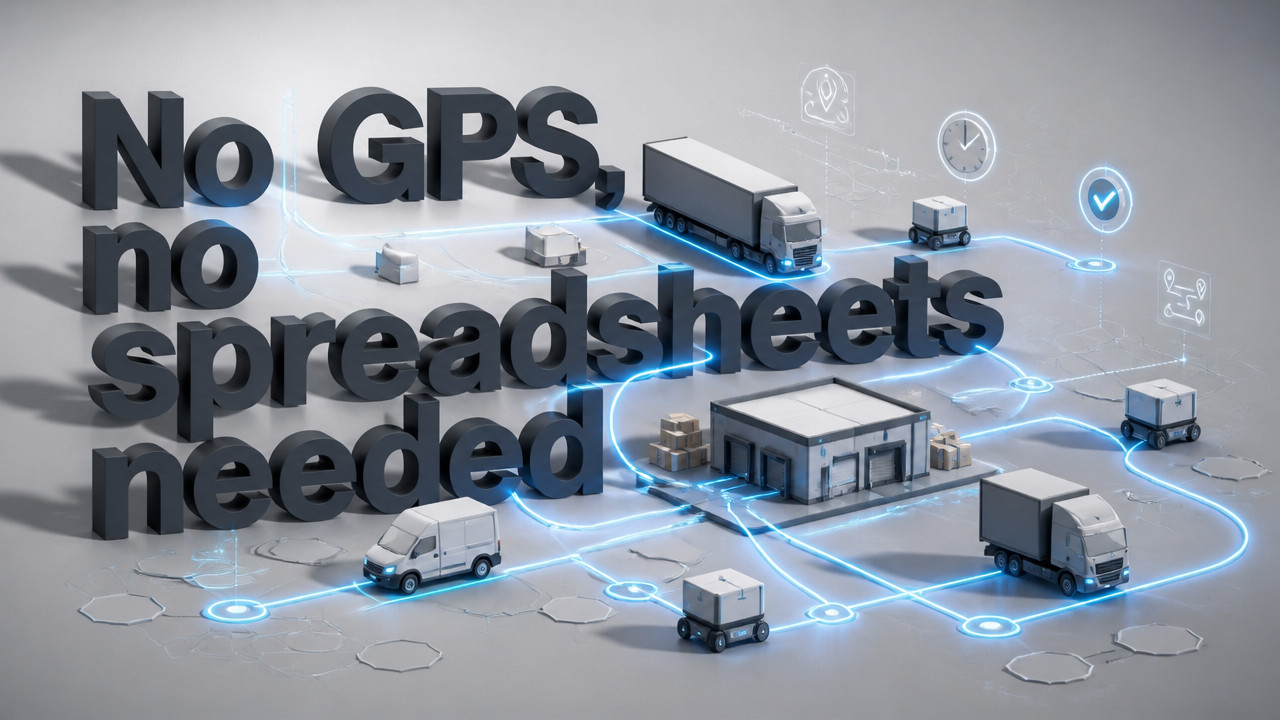
Precise Fleet Management Without GPS or Spreadsheet Chaos
Precise fleet management is the practice of maintaining real-time visibility into which vehicles can actually leave the yard not where they are or how fast they drove yesterday. For small contractor and rental fleets of 10–60 vehicles, it replaces the spreadsheet-and-WhatsApp fight that breaks down at 6:40 a.m. when two people mark the same van both ready and in-shop. The goal is simple: one row per vehicle, three states only ready, shop, next service and a board that stops dispatch from sending a truck already marked unfit.
Quick Answer: What Precise Fleet Management Actually Solves
The gap most small fleets face isn't a lack of data. It's a lack of actionable clarity. GPS tells you a truck is parked three miles away. It doesn't tell you whether that truck just came out of the shop or still needs brake work before it can roll. That distinction matters at 6:15 a.m. when dispatch needs to make a decision now.
Precise fleet management closes that gap by focusing on operational readiness, not location tracking. A live readiness board shows one status per vehicle, updated in real time, visible to everyone who needs to see it. No version conflicts. No calling the guy who "owns" the spreadsheet to ask if Unit 14 actually left.

The core problem isn't technology it's the morning scramble. When three people pull up the same shared workbook and start making changes, someone's update gets lost. Meanwhile, the rental counter hands keys to a car sitting on a lift. Precise fleet management gives yards a single source of truth that reflects reality, not the last saved version.
Why the Morning Board Breaks Before Your First Cup of Coffee
Here's how it plays out. It's 06:10. The dispatcher opens the morning board Excel file from the shared drive. The shop foreman opens the same file to mark two trucks "in shop." Meanwhile, the yard manager opens his copy which he saved locally last night after updating service dates and starts marking trucks "ready" based on what he walked past an hour ago.
By 06:25, three people have three different versions of the truth. The dispatcher sends Unit 22 to a job site because her file shows "ready." The shop foreman's file shows Unit 22 in for a transmission issue. The truck doesn't leave. The crew stages at the yard. The job waits. And nobody realizes the conflict until the foreman calls looking for his truck.
This isn't a rare edge case. It happens every single morning on yards that run on spreadsheets and group chats. The contractor fleet board that worked fine when you had eight trucks now collapses under the weight of 25 or 40 vehicles, multiple yards, and shift crews who don't know each other's updates.
Rental yards face a parallel problem. The booking calendar says Unit 12 is reserved for a customer picking up at noon. But the key hook is empty because the van went into the shop yesterday and nobody updated the calendar. Or worse a counter agent hands a customer the keys to Unit 12, and the customer drives off in a vehicle with a pending service flag that never made it back to the reservation system.
- Two users mark the same vehicle with conflicting statuses before 07:00
- Dispatch sends a truck already flagged for shop work
- Booking calendar and key hook disagree by lunch
- Crews stage for jobs that trucks can't actually support
The spreadsheet model works until it doesn't. And when it breaks, it breaks in the worst possible window the 45 minutes when every decision about the day's work gets made.
GPS Tells You Where the Van Is, Not Whether It Can Leave
Location tracking has value. Knowing your fleet is geographically dispersed across job sites or stuck in traffic helps with routing and customer communication. But GPS doesn't answer the question that matters most at roll-out: "Is this truck cleared to leave?"
A vehicle can be parked in the yard, fully compliant with GPS geofencing, and still be completely unfit for service. It might need an oil change that was due yesterday. It might have a check engine light that showed up on the drive back from the last job. It might be physically sitting there while the transmission sits in pieces in the shop bay.
GPS systems also come with baggage multi-year contracts, hardware installation, and monthly fees that compound across the fleet. Most small yards don't want another 36-month commitment. They want to know which trucks can leave this morning without signing a contract that outlasts their trucks. A rental fleet operations approach focused on readiness instead of location delivers that clarity without the contractual anchor.
| Capability | GPS Tracking | Readiness Board |
|---|---|---|
| Shows vehicle location | Yes | No |
| Shows operational status | No | Yes |
| Requires hardware installation | Yes | No |
| Multi-year contract required | Typically yes | No |
| Cost per vehicle/month | $20–$50+ | $2.99 |
| Answers "Can this truck leave?" | No | Yes |
According to Gitnux, predictive maintenance can save fleets significant money by catching issues before they become breakdowns. That insight reinforces why readiness tracking matters you're not monitoring where the truck is, you're monitoring whether it's sound enough to do the job it's assigned to.
How to Replace Excel with a Single-Status Board in 15 Minutes
Migrating from a spreadsheet nightmare to a unified readiness board doesn't require a consultant or a week-long implementation. The goal is to get your yard running on a single source of truth before tomorrow morning's dispatch.
The process is straightforward. You already have the data it's sitting in that shared workbook, or in your phone's notes, or in the group chat history. Here's how to make it usable: pricing details start at $2.99 per vehicle with no credit card required for the first month, so you can prove the concept before committing.
- Paste your existing vehicle list VINs, unit numbers, or whatever you call them directly into the board setup
- Assign yard access so each location sees only its own vehicles and managers
- Mark each vehicle's current status: ready, shop, or due for service
- Invite your dispatcher, shop foreman, and yard manager with role-appropriate permissions
- Run your first morning board with real-time updates instead of version conflicts
The first month is open no card on file. That's intentional. The payoff happens when dispatch realizes they didn't send a shop-flagged truck, or when the rental counter catches a booking conflict before handing over keys. Once you see it work, the per-vehicle pricing makes sense because you're only paying for what you actually track.
Three States Are Enough and More States Are the Problem
ERP systems and enterprise fleet platforms love complexity. They offer seventeen status codes, twelve maintenance flags, color-coded urgency indicators, and dashboards that require training to interpret. Small yards don't need any of that. They need to know three things: can this truck leave, is it in the shop, or is it due for service soon?
That's it. Ready. The truck is operational and cleared for dispatch. Shop. The truck is in the shop and cannot leave. Due. The truck is operational but has upcoming service that needs scheduling.
Adding more states doesn't add more clarity it adds more ambiguity. "Ready with minor issues" sounds helpful until you realize nobody agrees on what "minor" means. "Shop waiting parts" versus "Shop in progress" requires someone to update both states, which means someone will forget, which means you're back to calling the shop to ask what's actually happening.
The trades fleet management approach that works is deliberately simple. One status per vehicle. Three options. No interpretation required. When dispatch looks at the board, they should be able to scan it in ten seconds and know exactly which trucks can roll.
When Only One Person Owns the Sheet, the Whole Yard Stops
Every yard has one. The dispatcher who's been there for twelve years and keeps the morning board in a spreadsheet only she understands. The yard manager who updates service dates after his coffee run and doesn't tell anyone. The owner who keeps "the real list" on his laptop and gets annoyed when someone calls him on vacation to ask if Unit 7 can leave.
That single-point-of-failure model works until it doesn't. When that person is out sick, on vacation, or just running late, the yard grinds to a halt. Nobody wants to touch the spreadsheet because they don't want to break it. Or worse everyone touches it, and the conflicts multiply across three different saved versions.
Multi-user readiness visibility without version conflicts is the core fix. Everyone who needs to see the board sees the same board. Updates happen in real time. If the shop foreman marks a truck "shop," dispatch sees that change immediately not after someone remembers to email an updated file or post in the group chat. Municipal fleet coordination relies on this same principle: distributed access with a single source of truth that doesn't depend on one person's availability.
Cross-Yard Visibility Without Quiet Borrowing
Owner-operators with multiple yards face a specific problem: asset drift. A foreman at Yard A notices Yard B has a truck sitting unused and sends someone over to "borrow" it. Nobody updates the master sheet assuming one even exists across locations. Two weeks later, Yard B realizes a truck is missing and starts making calls. Meanwhile, that truck has been running jobs for Yard A with no record of where it went or what work it did.
Yard-scoped access prevents this. Each yard manager sees only the vehicles assigned to their location. Dispatch at Yard A can't mark Yard B's trucks as ready because they don't even appear on their board. If a truck needs to transfer between yards, that transfer is explicit and logged not a quiet borrowing that disappears from the record.
For landscaping fleet boards and similar multi-site operations, this boundary enforcement is critical. You can't manage what you can't see, and you can't track accountability when assets move between locations without a paper trail.
Key Takeaways
- GPS tracks location, not readiness knowing where a truck is doesn't tell you whether it can leave the yard
- Spreadsheet version conflicts create morning chaos multiple users saving different files breaks the board
- Three states are sufficient ready, shop, and due cover what dispatch actually needs to know
- $2.99 per vehicle with no contract readiness tracking without multi-year GPS commitments
- Yard-scoped access prevents asset drift each manager sees only their vehicles and locations
The core shift is simple: stop trying to manage operational readiness with tools built for something else. GPS is for location. Spreadsheets are for analysis. Neither addresses the 6:00 a.m. decision point that determines whether your day runs smoothly or devolves into phone calls, conflicts, and missed commitments. A moving company fleet tracking approach focused on readiness gives dispatch what they actually need to do their job.
FAQ: Precise Fleet Management
What is precise fleet management?
precise fleet management is an important topic worth understanding in depth. Getting familiar with the fundamentals helps you achieve better results and avoid common pitfalls.
How does precise fleet management work?
precise fleet management works by following a structured approach. Start with the core basics, then build your knowledge progressively consistency is key to seeing real results.
Is precise fleet management right for me?
For most users, yes. The key is matching the approach to your specific goals and constraints. Evaluating a few options before committing saves time and money in the long run.
- We already have a spreadsheet that works. Why change?
- You don't. If your spreadsheet actually works, dispatch never sends the wrong truck, and the booking calendar always matches the key hook, carry on. But if two people have ever marked the same vehicle differently before 07:00, or if you've had to call the "spreadsheet owner" to ask about a truck, the system has already failed. A shuttle fleet readiness board prevents those conflicts by being a single source of truth.
- Do I need GPS to manage my fleet?
- No. GPS answers where your vehicles are, not whether they can leave. If your priority is location tracking route optimization, geofencing, speed monitoring then GPS makes sense. If your priority is knowing which trucks can roll this morning, GPS doesn't help. Readiness tracking and location tracking are different problems that require different tools.
- How long does setup take?
- About 15 minutes. You paste your existing vehicle list, assign yard access, and mark current statuses. No hardware installation, no IT project, no multi-day implementation. The board is ready before tomorrow morning's dispatch.
- Are there contracts?
- No multi-year contracts. The model is monthly per vehicle $2.99 with the first month open and no card required. You can leave whenever it no longer serves the yard. The goal is to solve the morning board problem, not to lock you into a commitment that outlasts your trucks.
- What happens if the sheet owner is out?
- The board keeps working. Because updates happen in real time and everyone sees the same status, the yard doesn't depend on one person's availability. If the shop foreman marks a truck "shop," dispatch sees it immediately. No calling around, no waiting for someone to check their saved file.
- Can this scale beyond 60 vehicles?
- It can, but the model is built for small fleets. Larger fleets with dedicated dispatch desks and enterprise GPS systems have different needs. The 10–60 vehicle range is where the spreadsheet-and-WhatsApp model most commonly breaks down, and where a simple readiness board delivers the most immediate value.
Thu Oct 08 · Josh B