Vehicles Manager
What is a Vehicle Readiness Dashboard for Small Fleets
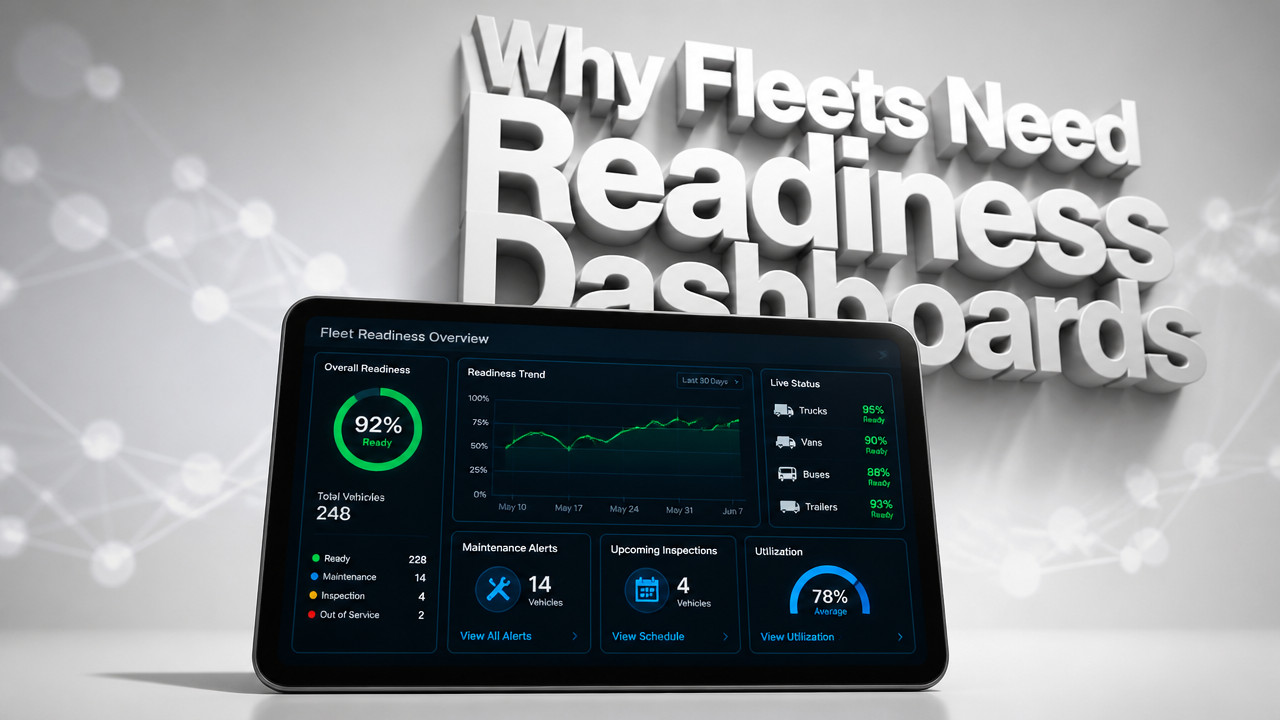
A vehicle readiness dashboard is a digital board that shows exactly which vehicles can leave your yard this morning. It tracks three states ready, in shop, or service due and replaces the spreadsheet-plus-WhatsApp workflow that sends a van already marked down. Unlike GPS telematics that report location, a readiness dashboard answers whether a unit is fit to dispatch right now, preventing the 6 a.m. confusion that costs small contractor and rental fleets thousands in wasted crew time and customer complaints.
Quick Answer: The Morning Status Board Your Spreadsheet Cannot Deliver
A vehicle readiness dashboard for small fleets operates on simple logic: one row per vehicle, three possible states, and a single source of truth that every person in the yard sees at the same time. Unlike a fleet status board buried in a shared drive or a WhatsApp thread that scrolls endlessly, this dashboard answers one question before dispatch rolls out can this truck leave?

The problem with running your morning board on a spreadsheet is version control. Two people open the file. One marks the F-350 "ready." The other marks it "shop." Both save. The last person to hit save wins, and dispatch never sees the conflict. A vehicle availability tracker built for this specific workflow eliminates that fight by locking status edits to one record and timestamping every change.
This is not GPS. A live readiness board shows operational permission, not coordinates. GPS tells you where the van is right now. A readiness dashboard tells you whether it is allowed to leave the yard at all. That distinction matters when your crew is standing in the cold at 6:15 a.m. waiting for keys to a vehicle that has been in the shop since yesterday.
Why Small Fleets Between 10 and 60 Vehicles Need a Dedicated Readiness Tool
The 06:00–07:00 window is the most expensive hour of the day for small contractor and rental fleets. This is when the yard manager, the dispatcher, and the shop foreman all need the same answer at the same time: what leaves and what stays. When that answer lives in a spreadsheet and a WhatsApp thread, the information diverges before the first coffee is poured.
Here is how it happens. The shop marks a van down for a brake job at 5:45 a.m. They send a message in the group chat. The dispatcher does not see it because their phone is on silent. They open the last saved version of the spreadsheet, which still shows the van as "ready." The crew shows up, loads tools, and waits. By 6:30 a.m., someone finally calls the shop. The van is on the lift. The crew wastes an hour. The customer gets a late start and bills you for the delay.
contractor fleet operators running 10–60 vehicles cannot afford that kind of confusion. The cost is not just crew time. It is customer trust. Rental lots feel it differently but just as painfully. The booking calendar says the sedan is reserved. The key hook is empty. Someone already handed it to a walk-in customer who did not realize it was booked. By lunch, you have an angry reservation holder and a refund to process.
According to Heavyvehicleinspection, small fleets using real-time dashboards experience a measurable reduction in annual budget waste due to improved asset utilization. When your fleet operations dashboard matches reality, you stop sending crews home early because the truck they needed is in the shop. You stop overbooking your rental lot because the status board finally matches the key board.
| Method | Version Control | Visibility | Dispatch Risk |
|---|---|---|---|
| Spreadsheet + WhatsApp | Last saved wins; conflicts invisible | Only the file owner sees the full picture | High van marked shop can still be dispatched |
| Readiness Dashboard | Single source of truth; timestamped edits | Whole yard sees the same board in real time | Low status conflicts are impossible |
The Three States That Stop a Van Already Marked Shop From Leaving
A maintenance readiness system works because it constrains the problem. Instead of free-form notes or color-coded cells that mean different things to different people, a readiness dashboard gives every vehicle one of three states:
- Ready: The vehicle passed inspection, has no open shop tags, and is cleared for dispatch. Send it out.
- Shop: The unit is in the bay for repair, inspection, or service. It cannot leave until the shop marks it ready. Dispatch sees this status immediately and adjusts the board.
- Service Due: The vehicle is operational but approaching a scheduled maintenance window. It can dispatch today but needs booking for service soon. This prevents surprise breakdowns next week.
That is it. No "maybe" status. No "call me" notes. The yard manager, the shop, and dispatch all see the same row. When the shop changes a status from "ready" to "shop," everyone sees it instantly. No refresh. No "did you save?" arguments.
The logic also eliminates duplicate entries. In a spreadsheet, the same VIN might appear on three different tabs maintained by three different people. A municipal fleet board or contractor yard using a readiness tool allows one row per vehicle. If the shop needs to flag the unit, they change the state on that row. Dispatch cannot accidentally send it because the board says "shop" in black and white.
How a Readiness Dashboard Differs From GPS Telematics and Fleet Management ERPs
GPS telematics platforms do one thing very well: they tell you where your vehicles are right now. That is valuable for route optimization and theft recovery. But GPS cannot answer whether a vehicle is allowed to leave the yard. A truck could be sitting in the lot, engine off, GPS pinging happily, while the brakes are being replaced inside. The dispatch board built into most telematics suites shows location, not operational status.
According to Escalent, these dashboards are designed to provide fleet managers with real-time insights into the operational status and readiness of their vehicles. That is a different data set than GPS coordinates. A fleet visibility tool focused on readiness answers the morning question: what can I send out right now?
Enterprise fleet ERPs solve a different problem. They track fuel, maintenance history, driver compliance, and purchasing. They are built for fleets with dispatch desks and IT staff. For a small yard running off a spreadsheet, an ERP feels like installing a jet engine on a lawnmower. It costs too much, takes too long to set up, and requires a multi-year contract that locks you in.
A shop status tracking tool built for small fleets is different. No hardware to install. No dongles to plug into the OBD port. No 36-month contract. You pay per vehicle, per month, and you can walk away whenever you want. The dashboard lives in the cloud. The yard manager opens it on their phone. The shop updates it from a tablet in the bay. Dispatch sees it on a laptop in the trailer.
| Tool Type | Primary Function | Hardware Required | Contract Length | Shows Dispatch Readiness |
|---|---|---|---|---|
| Readiness Dashboard | Operational status and dispatch permission | None cloud-based | Monthly, no lock-in | Yes this is the core feature |
| GPS Telematics | Location tracking and route optimization | Yes dongles and antennas | Typically 2–3 years | No shows location only |
| Fleet ERP | Full lifecycle management and compliance | Sometimes | Multi-year contracts | Partial buried in other modules |
How to Replace Your Spreadsheet and WhatsApp Thread in One Morning
rental fleet status tracking and contractor boards can be built in about 15 minutes. There is no hardware to install and no IT project to scope. Here is how the switch actually works:
- Paste your vehicle list. Open the dashboard, copy the VINs or unit numbers from your current spreadsheet, and paste them in. The system creates one row per vehicle automatically.
- Assign initial states. Walk the lot. Mark each vehicle "ready," "shop," or "service due." This takes five minutes for a 20-unit yard.
- Share the board link. Send the dashboard URL to your yard manager, dispatcher, and shop foreman. They open it on their phones. No app to download. No login screen to navigate.
- Update in real time. When the shop starts work on a unit, they change the status. Dispatch sees it instantly. When the van leaves the bay, the shop marks it ready. Everyone stays aligned.
This is not a database project. You are not mapping fields or configuring integrations. You are replacing the whiteboard, the spreadsheet, and the group chat with a single screen that everyone trusts.
The first month is open. No card required. After that, you pay $2.99 per vehicle pricing with no long-term commitment. If the tool does not solve your morning confusion, you cancel and go back to your spreadsheet. No sunk cost.
Real-World Scenarios: Rental Lots, Contractor Yards, and Municipal Departments
The spreadsheet problem shows up differently depending on what kind of fleet you run. But the root cause is always the same: the person who owns the file is not in the yard, and the information does not match reality.
- Rental lot: The booking calendar says the sedan is ready for pickup at noon. The key hook says it is rented. The shop has it on a lift for an oil change that started at 8 a.m. The customer shows up, waits an hour, and leaves angry. A readiness dashboard shows the sedan in "shop" status before the customer arrives, so you can offer a different unit or adjust the pickup time.
- Contractor yard: Two crews show up at 6 a.m. for the same dump truck. The spreadsheet still shows "ready" from yesterday. The shop foreman marked it "shop" in the WhatsApp thread, but dispatch never saw the message. One crew waits. The other takes a different truck that was not inspected yet. A dashboard would have shown the shop status to both crews before they arrived.
- Municipal department: Public Works has one spreadsheet. Parks has another. Both share the same lot. Parks borrows a truck for a weekend event without telling Public Works. Monday morning, the crew shows up and the truck is gone. A shuttle fleet readiness or municipal board would show which department has which unit, preventing cross-department borrowing without a status change.
Why Readiness Dashboards for Small Fleets Cost $2.99 Per Vehicle, Not Thousands
Enterprise fleets pay thousands per month for telematics and ERP systems. That pricing reflects the complexity of the tools, the hardware costs, and the long-term contracts. For a small yard with 15 vans, those systems do not make sense. You are paying for features you will never use and locking into a contract you cannot wait to exit.
A vehicle service board built for small fleets strips away everything you do not need. No hardware means no installation labor, no device failures, and no calibration. A cloud-only model means the software company hosts the dashboard and you access it through a browser. No servers to maintain. No software updates to install.
The pricing reflects the value. At trades fleet management pricing of $2.99 per vehicle, a 20-unit yard pays about $60 per month. That is less than the cost of one wasted crew hour caused by a spreadsheet conflict. If the dashboard prevents one dispatch mistake per month, it pays for itself.
Some yards object because they already pay for telematics. They have a GPS dongle in every truck. But that system answers where the truck is, not whether it can leave. The two tools solve different problems. You would not cancel your phone plan because you have a calendar. You need both. The dashboard completes the picture the telematics platform cannot show.
Key Takeaways: When a Readiness Dashboard Replaces the Yard Manager's Spreadsheet
A fleet readiness software tool is not a luxury. For yards running 10–60 vehicles, it is the difference between starting the day in control and starting the day confused. Here is what matters:
- Three states only: Ready, shop, or service due. No free-form notes. No color codes. Everyone knows exactly what each status means.
- One row per vehicle: No duplicate entries across multiple tabs. The shop marks the unit. Dispatch sees the change. No version control failures.
- Real-time visibility: The dashboard updates instantly. No refreshing. No "did you save?" calls. The yard manager, dispatcher, and shop all see the same board.
- No hardware or contracts: Cloud-based access from any device. Monthly pricing with no multi-year lock-in. Cancel anytime.
- 15-minute setup: Paste your list, assign states, share the link. The first month is open. After that, $2.99 per vehicle.
landscaping fleet boards and contractor yards switch when they realize the cost of confusion exceeds the cost of the tool. One missed dispatch. One angry customer. One crew hour wasted. That is all it takes to justify the change.
Frequently Asked Questions
Does a vehicle readiness dashboard include GPS tracking?
No. A readiness dashboard answers operational permission whether a vehicle can leave not its location. GPS shows coordinates. The dashboard shows dispatch clearance. They solve different problems.
Do I need to install hardware in my vehicles?
No hardware required. The dashboard lives in the cloud. You access it through a browser on your phone, tablet, or laptop. No dongles to plug in. No antennas to mount.
What if my yard already uses telematics?
They complement each other. Your telematics platform shows where your trucks are. Your readiness dashboard shows which ones can leave. You need both to manage the morning dispatch without confusion.
How long does setup take?
About 15 minutes. Paste your vehicle list, assign initial states, and share the board link. No IT project. No integration work. The first month is open with no card required.
What if I have multiple departments sharing the same lot?
Each department sees only its own fleet. Public Works has one board. Parks has another. No quiet borrowing without a status change. Cross-department visibility prevents Monday morning surprises.
moving company fleet boards and other specialized operations benefit from the same logic. One source of truth. No spreadsheet conflicts. A morning dispatch board that matches reality.
Sat Oct 03 · Josh B